Introducción
Welcome to the instruction manual for your Ikarao Karaoke Machine Shell S1. This portable home system is designed to deliver a premium audio experience with its 280W 2.2-channel speaker, 10.1-inch lyrics display, and two wireless self-charging microphones. This manual provides essential information for setting up, operating, and maintaining your device to ensure optimal performance and enjoyment.
The Ikarao Shell S1 offers versatile connectivity options including HDMI, USB, AUX, WiFi, and Bluetooth 5.3, making it suitable for various entertainment setups. Enjoy features like adjustable EQ, autotune, and preloaded KaraFun membership for a professional-grade karaoke experience.
¿Qué hay en la caja?
- 1 x Shell S1 Smart Karaoke Machine
- 2 x Bluetooth Wireless Microphones
- 1 x Correa de hombro portátil
- 1 x Type C Cable (Charger not included)
- 1 x Manual de usuario
Configuración
- Carga inicial: Before first use, fully charge the karaoke machine using the provided Type C cable. Connect the cable to the DC 15V input port on the rear panel and plug it into a compatible USB power adapter (not included).
- Carga del micrófono: Place the two wireless microphones into their designated charging slots located under the top lid of the machine. The microphones feature a magnetic self-charging design. An indicator light on the microphone will show charging status.
- Encendido: Open the top lid to reveal the 10.1-inch screen. Press and hold the power button on the front control panel of the main unit. The screen will display the Ikarao logo as it boots up.
- Conexión Wi-Fi: Once the system is powered on, navigate to the settings menu on the 10.1-inch screen to connect to your local Wi-Fi network (2.4G/5G supported). This is essential for accessing online content like YouTube and KaraFun.

Image: Ikarao Karaoke Machine Shell S1 with its 10.1-inch screen open, revealing the charging slots for the two wireless microphones. The main unit features a speaker grille and control panel.
Instrucciones de funcionamiento
Controles de la unidad principal
- Botón de encendido: Mantenga presionado para encender/apagar la unidad.
- Botón Bluetooth: Activates Bluetooth pairing mode for connecting external devices.
- Botón de bajo: Toggles the bass boost feature for enhanced low-frequency sound.
- Botón de modo: Cycles through different input modes (Bluetooth, AUX, Local Play).
- Perilla de volumen: Rotates to adjust the master volume of the speaker. The LED ring around the knob indicates the volume level.

Image: Close-up of the rear panel of the Ikarao Karaoke Machine, displaying various connectivity ports including HDMI, USB, AUX, and the DC power input.
Uso del micrófono
- Encendido/apagado: Press and hold the power button on each microphone to turn it on or off.
- Control de volumen: Use the '+' and '-' buttons on the microphone to adjust its individual volume.
- Efectos de voz: The system offers various voice effects accessible via the screen interface or dedicated buttons. Options include: Original, Karaoke (with echo), Super, Professional, Monster (deep voice), Popular, Cartoon (high-pitched voice), and Custom (adjustable reverb, treble, bass).

Image: The two wireless microphones are securely placed in their magnetic charging slots within the Ikarao Karaoke Machine, indicating their self-charging capability.
Screen Interface and Apps
The 10.1-inch built-in touchscreen provides access to various functions and applications:
- Sing Menu: Access Media Player for local files, YouTube for karaoke videos (requires Wi-Fi), and Media Library for pre-installed songs.
- Menú de la aplicación: Features pre-installed apps like KaraFun (6-month membership included) and YouTube. You can also download other compatible apps.
- Ajustes: Adjust display brightness, sleep time, check wireless mic battery levels, and configure HDMI settings. Sound settings allow control over tone volume, wireless mic volume, and mic modes. Wi-Fi settings manage network connections.
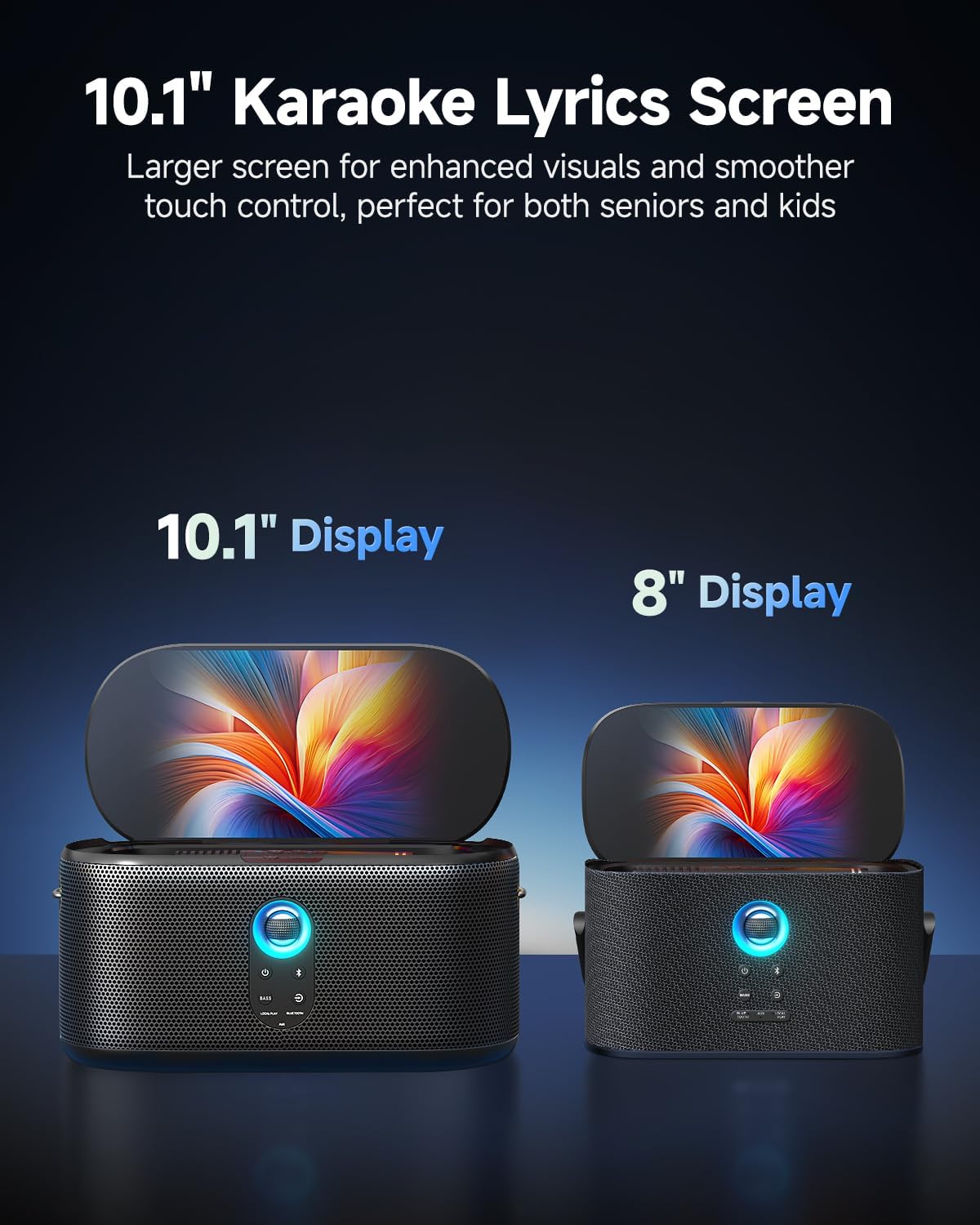
Image: The Ikarao Karaoke Machine with its 10.1-inch screen open, showing the user interface with icons for Media Player, YouTube, and other applications.
Conectividad
The Shell S1 offers multiple ways to connect your audio and video sources:
- HDMI: Connect to a TV or external display to mirror the screen for a larger karaoke experience.
- USB: Reproducir medios files directamente desde una unidad USB.
- Auxiliar: Connect external audio devices via an auxiliary cable.
- Bluetooth 5.3: Transmita audio de forma inalámbrica desde su teléfono inteligente, tableta u otros dispositivos habilitados para Bluetooth.
- WiFi 2.4G/5G: Access online streaming services and content.
- Entrada de guitarra: Plug in a guitar for live jam sessions.
Modos de sonido
Adjust the audio output to suit your environment and preferences:
- De alta fidelidad: Standard high-fidelity audio.
- Luz: A lighter sound profile.
- Al aire libre: Optimized for outdoor use, enhancing projection and clarity.
- Bajo: Emphasizes low frequencies for a deeper sound.
Mantenimiento
- Limpieza: Use a soft, dry cloth to clean the exterior of the machine and screen. Avoid abrasive cleaners or solvents.
- Cuidado de la batería: To prolong battery life, avoid fully discharging the unit frequently. Store in a cool, dry place when not in use for extended periods.
- Almacenamiento: When storing, ensure the top lid is closed to protect the screen and microphones.
Solución de problemas
- Sin energía: Ensure the unit is fully charged or connected to a power source. Check the power button.
- Sin sonido: Check the master volume knob and individual microphone volumes. Ensure the correct input mode is selected.
- El micrófono no se conecta: Ensure microphones are charged and powered on. Re-pair them if necessary.
- Problemas de Wi-Fi: Verify your Wi-Fi network is active and the correct password is entered in the settings.
- Problemas con la duplicación de pantalla: Ensure your TV or external display is set to the correct HDMI input.
Presupuesto
| Característica | Detalle |
|---|---|
| Peso del artículo | 11.68 libras |
| Dimensiones del producto | 6.88 x 6.69 x 13.89 pulgadas |
| Número de modelo del artículo | Concha S1 |
| Baterías | 1 batería no estándar (incluida) |
| Número de oradores | 4 (dual 3.5" woofers, dual 1" tweeters) |
| Fuente de poder | Funciona con pilas |
| Característica especial | Visualización de letras |
| Color | Negro |
| Dispositivos compatibles | Gaming Console, Smartphone, Television |
| Tipo de conector | HDMI |
Garantía y soporte
For warranty information and customer support, please refer to the contact details provided on the product packaging or the official Ikarao webSitio. Conserve su recibo de compra como comprobante de compra para cualquier reclamación de garantía.


