1. Introducción
This manual provides detailed instructions for the Loutoc SRC4526 Universal Remote Control, designed for seamless compatibility with Philips Ambilight Smart TVs. Please read this guide thoroughly to ensure optimal use and longevity of your remote control.
1.1 producto másview
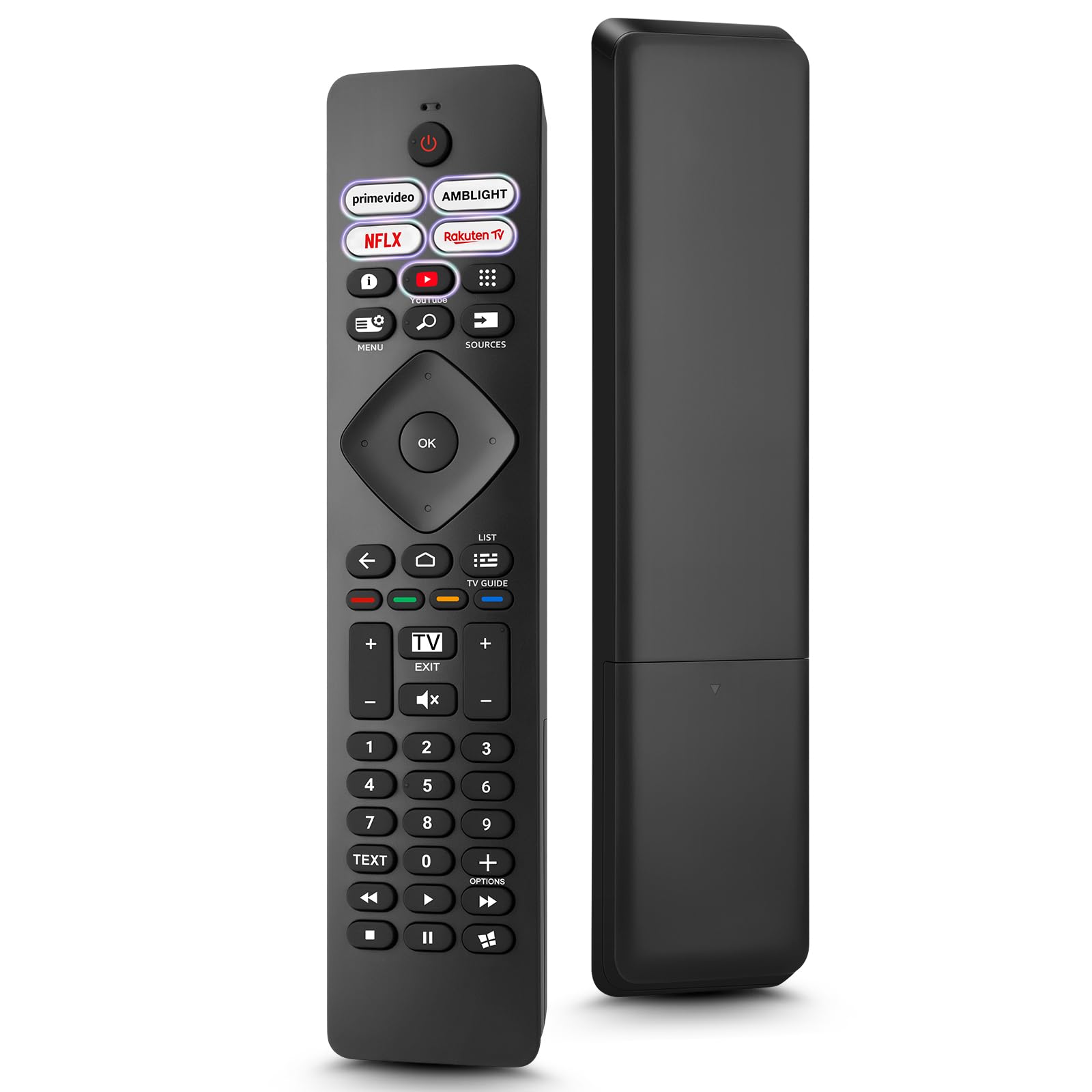
Image: The Loutoc SRC4526 Universal Remote Control, showcasing su diseño ergonómico y disposición de botones.
1.2 Características principales
- Convenient Plug-and-Play: No complex setup or programming required. Simply insert batteries and the remote is ready for use.
- Amplia compatibilidad con TV: Fully compatible with Philips Ambilight TVs, including 4K Ambilight LED, OLED, FHD, and Full Ultra HD models.
- Botones de acceso directo dedicados: Features 5 direct access buttons for popular streaming platforms: Ambilight, Video, NFLX (Netflix), Rakuten TV, and YouTube.
- Rendimiento confiable: Offers an effective operating range of 8 meters (26 feet) and an ultra-fast response time of 0.2 seconds.
2. Configuración
2.1 Instalación de la batería
The Loutoc SRC4526 remote control requires two AAA batteries (not included) for operation.
- Ubique el compartimiento de la batería en la parte posterior del control remoto.
- Deslice la tapa del compartimento de la batería para abrirla.
- Inserte dos pilas AAA, asegurándose de que los terminales positivo (+) y negativo (-) estén alineados correctamente con los indicadores dentro del compartimiento.
- Cierre bien la tapa del compartimento de la batería.
2.2 Uso inicial
This remote control is designed for immediate use with compatible Philips Ambilight TVs. No programming or pairing is required. Once batteries are installed, point the remote at your TV and begin operation.
3. Instrucciones de funcionamiento
3.1 Funciones de los botonesview
Refer to the image below for a visual guide to the remote control's buttons and their corresponding functions.

Image: Detailed diagram of the Loutoc SRC4526 remote control, illustrating each button and its primary function.
| Botón | Función |
|---|---|
| Fuerza | Switches the TV on or off (Standby mode). |
| Prime Video, Ambilight, Netflix, Rakuten TV | Quickly launches the corresponding application. |
| Menú | Opens the Quick Menu with typical TV functions. Hold to show Gaming control bar. |
| Buscar | Opens the Search tab on the Home screen. |
| Fuentes | Opens or closes the TV's input sources menu. |
| OK | Confirma una selección o configuración. |
| Arrow/Navigation Keys | Navigates up, down, left, or right through menus and options. |
| Atrás | Regresa a la pantalla o canal anterior. |
| Hogar | Opens the TV's Home menu. |
| Guía de televisión | Opens or closes the TV Guide. Long press to open the channel list. |
| Color Keys (Red, Green, Yellow, Blue) | Provides direct selection of on-screen options. The blue key typically opens Help. |
| Volumen (+/-) | Ajusta el nivel de volumen del televisor. |
| Canal (+/-) | Switches to the next or previous channel. |
| Salida | Exits current menu/application or returns to live TV. From standby, goes to last viewfuente ed. |
| Silenciar | Silencia o activa el sonido del televisor. |
| Teclas numéricas (0-9) | Selecciona directamente canales de TV. |
| TEXTO | Opens or closes Text/Teletext. |
| Controles de reproducción | Controls media playback: Play, Pause, Stop, Rewind, Fast Forward. |
| Aplicaciones | Opens the Apps tab on the Home screen. |
3.2 Ambilight Functionality
For Philips TVs equipped with Ambilight functionality, the dedicated Ambilight button on your remote allows you to control the lighting effects.
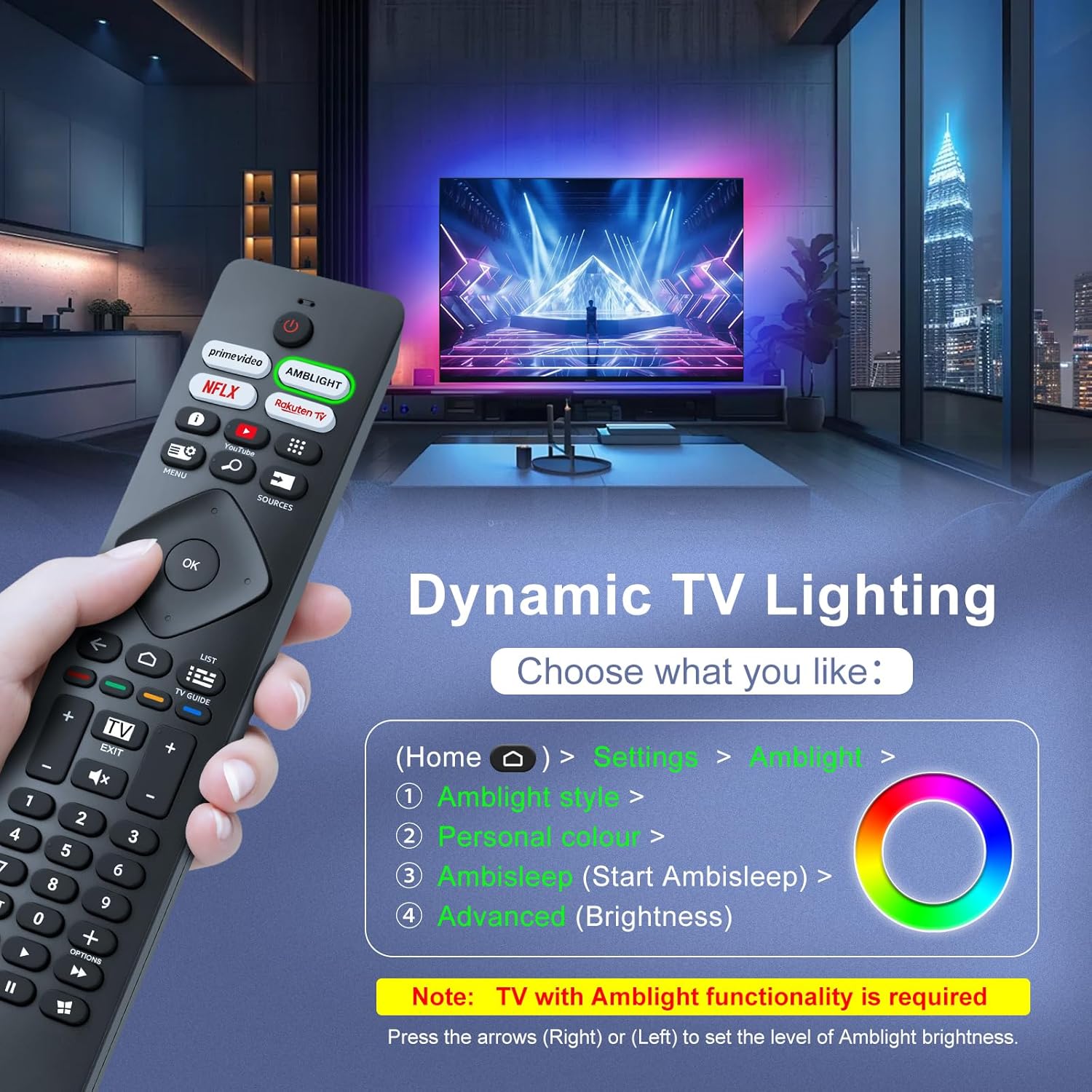
Image: A hand holding the remote control, with an overlay showing Ambilight settings on a TV screen.
After pressing the Ambilight button, you can navigate through the TV's menu to:
- Select different Ambilight display styles.
- Adjust personal color preferences.
- Initiate AmbiSleep mode.
- Adjust Ambilight brightness levels (using the right or left arrow keys).
Note: This feature requires a Philips TV with built-in Ambilight functionality.
4. Mantenimiento
4.1 Limpieza
To clean your remote control, gently wipe it with a soft, dry cloth. Avoid using liquid cleaners, aerosols, or harsh chemicals, as these can damage the remote's surface or internal components.
4.2 Almacenamiento
Guarde el control remoto en un lugar fresco y seco, alejado de la luz solar directa y de temperaturas extremas. Si no lo va a usar durante un período prolongado, se recomienda retirar las pilas para evitar fugas.
4.3 Cuidado de la batería
- Reemplace todas las baterías al mismo tiempo; no mezcle pilas viejas y nuevas.
- No mezcle diferentes tipos de baterías (por ejemplo, alcalinas y recargables).
- Deseche las baterías usadas de manera responsable de acuerdo con las regulaciones locales.
5. Solución de problemas
5.1 Problemas comunes y soluciones
- El control remoto no responde:
- Compruebe si las pilas están insertadas correctamente con la polaridad correcta.
- Reemplace las baterías con baterías AAA nuevas.
- Asegúrese de que no haya obstrucciones entre el control remoto y el receptor de infrarrojos del televisor.
- Asegúrese de estar dentro del rango operativo efectivo (hasta 8 metros).
- Botones específicos que no funcionan:
- Clean the remote control, especially around the non-functioning buttons, to remove any dirt or debris.
- If only Ambilight functions are not working, ensure your Philips TV model supports Ambilight.
5.2 Contactar con el soporte técnico
If you encounter persistent issues that cannot be resolved with the troubleshooting steps above, please contact Loutoc customer support directly. We aim to respond to all inquiries within 12 working hours.
6. Especificaciones
| Característica | Detalle |
|---|---|
| Marca | Loutoc |
| Nombre del modelo | SRC4526-FBA |
| Número de modelo del artículo | SRC4526 |
| Color | Negro |
| Tecnología de conectividad | Infrarrojo |
| Características especiales | No programming required, Ergonomic, Lightweight |
| Dispositivos compatibles | Television (Philips Ambilight TVs) |
| Número máximo de dispositivos compatibles | 1 |
| Tipo de controlador | Control de botones |
| Alcance máximo | Medidores 8 (Pies 26) |
| Descripción de la batería | AAA (se requieren 2, no incluidas) |
| Fabricante | Loutoc |
| País natal | Porcelana |
| Fecha de primera disponibilidad en Amazon.com.be | 31 de agosto de 2025 |
7. Garantía y soporte
7.1 Información de garantía
This Loutoc remote control comes with a manufacturer's warranty of 30 days from the date of purchase. Please retain your proof of purchase for any warranty claims.
7.2 Atención al cliente
For any questions, technical assistance, or warranty inquiries, please contact Loutoc customer support. We are committed to providing timely assistance and will respond to your queries within 12 working hours.