1. Introducción
Thank you for choosing the Maxcom Comfort MM834 4G Senior Flip Phone. This manual provides essential information for setting up, operating, and maintaining your device. Please read it carefully to ensure proper use and to maximize the phone's features.
2. Contenido del paquete
Por favor revise el paquete para ver los siguientes artículos:
- Maxcom Comfort MM834L 4G Senior Flip Phone
- Battery (1000 mAh Li-ion)
- Cable de carga
- Manual de usuario
3. Dispositivo terminadoview
Familiarize yourself with the physical features of your Maxcom MM834L phone.
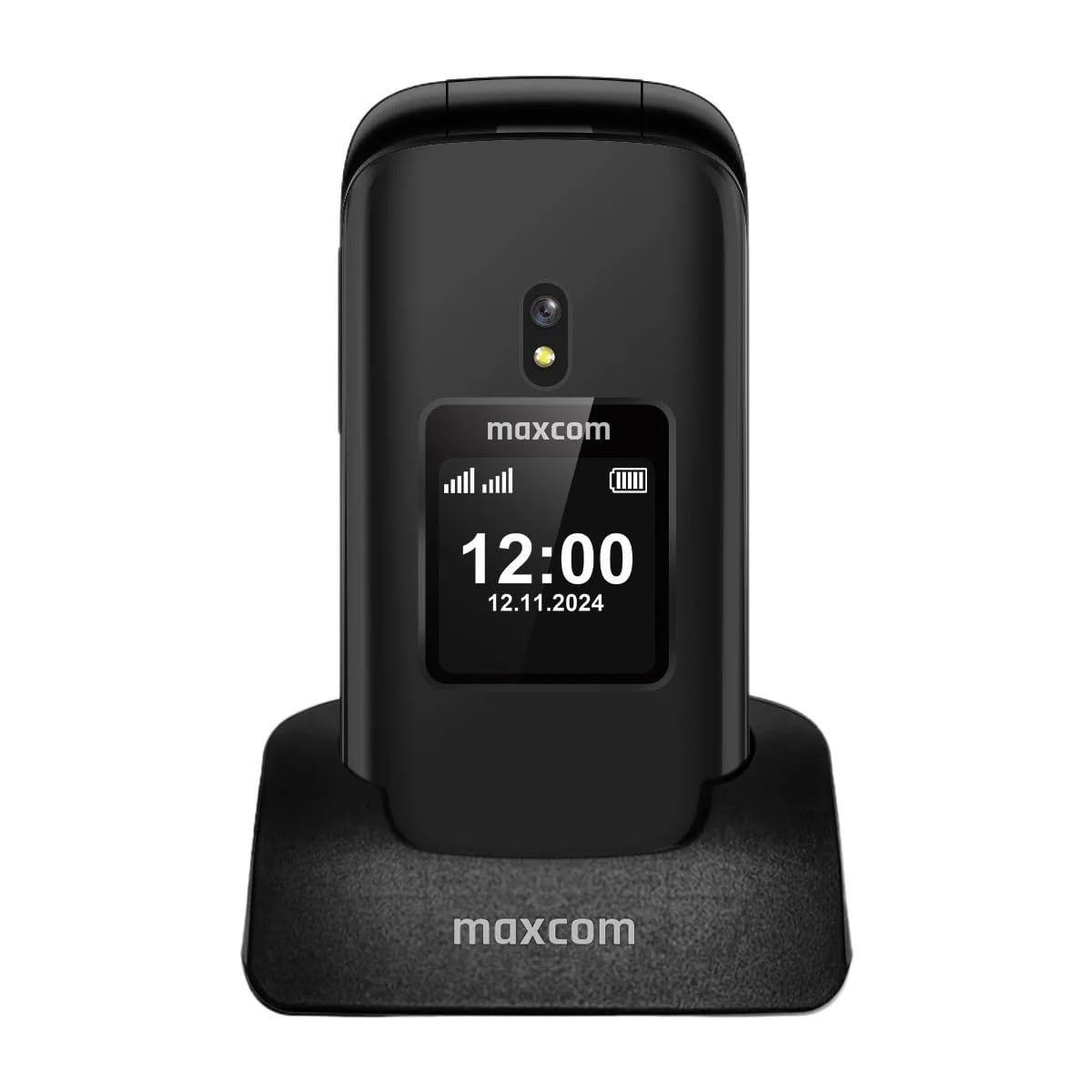
Figura 3.1: Frente view of the Maxcom MM834L phone when open, displaying the main screen and the large, easy-to-use keypad.
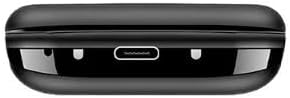
Figura 3.2: Abajo view of the phone, highlighting the USB-C charging port for convenient power connection.
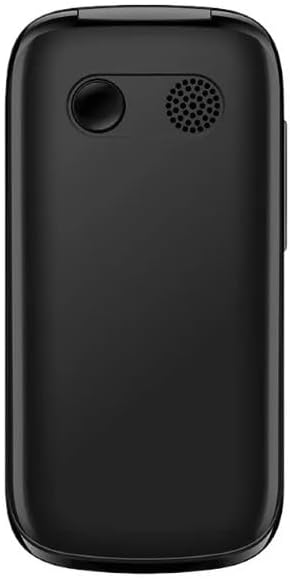
Figura 3.3: Trasero view of the phone, featuring the integrated camera and the external speaker for clear audio output.

Figura 3.4: Lado view of the phone, indicating the location of the volume control buttons.

Figura 3.5: The phone features two displays: a 2.4-inch main internal screen and a 1.44-inch external screen. The external display shows time, battery status, and caller information without needing to open the phone.
4. Configuración
4.1. Instalación de la(s) tarjeta(s) SIM y la batería
- Abra la tapa trasera del teléfono.
- Insert your SIM card(s) into the designated slot(s). The MM834L supports Dual SIM functionality. Ensure the gold contacts face downwards and the card is correctly oriented.
- Inserte la batería en su compartimento, alineando los contactos.
- Vuelva a colocar la cubierta posterior, asegurándose de que encaje firmemente en su lugar.

Figura 4.1: The Maxcom MM834L supports Dual SIM, allowing the use of two separate telephone numbers.
4.2. Carga de la batería
Before first use, fully charge the phone's battery. Connect the charging cable to the phone's USB-C port and plug the other end into a power adapter. The battery indicator on the screen will show charging status. A full charge typically takes a few hours.

Figura 4.2: The 1000 mAh battery provides extended usage time for the MM834L phone.
4.3. Encendido / apagado
- Para encender: Mantenga presionado el botón Finalizar llamada/Encendido Botón (botón rojo) hasta que la pantalla se ilumine.
- Para apagar: Mantenga presionado el botón Finalizar llamada/Encendido botón hasta que aparezcan las opciones de apagado, luego seleccione 'Apagar'.
5. Instrucciones de funcionamiento
5.1. Hacer llamadas
- Abra la tapa para activar la pantalla principal.
- Marque el número de teléfono deseado usando el teclado.
- Presione el Llamar Botón (botón verde) para iniciar la llamada.
- Para finalizar una llamada, presione el botón Finalizar llamada botón (botón rojo).
5.2. Contestar llamadas
- When the phone rings, open the flip to answer the call automatically, or press the Llamar botón.
- Para rechazar una llamada, presione el Finalizar llamada botón.
5.3. Envío y recepción de mensajes
- Desde el menú principal, navegue hasta “Mensajes”.
- Seleccione ‘Escribir mensaje’ o ‘Nuevo SMS’.
- Ingrese su mensaje utilizando el teclado.
- Introduzca el número de teléfono del destinatario o selecciónelo entre sus contactos.
- Seleccione 'Enviar'.
5.4. Función SOS
The MM834L features a dedicated SOS button for emergencies.
- Para activar: Mantenga presionado el Botón SOS en la parte posterior del teléfono durante unos segundos.
- The phone will automatically call and send an emergency SMS to pre-set contacts.
- Ensure emergency contacts are set up in the phone's settings under the SOS menu.

Figura 5.1: Key features include 4G VoLTE for clear calls, dual screens, a dedicated SOS button, and large, easy-to-press buttons.
6. Mantenimiento
- Limpieza: Utilice un paño suave y seco para limpiar la superficie del teléfono. Evite limpiadores líquidos o materiales abrasivos.
- Almacenamiento: Guarde el teléfono en un lugar fresco y seco, alejado de la luz solar directa y de temperaturas extremas.
- Cuidado de la batería: Do not expose the battery to high temperatures or dispose of it in fire. Recycle batteries according to local regulations.
- Resistencia al agua: Este teléfono no es resistente al agua. Evite la exposición al agua o a la humedad alta.
7. Solución de problemas
| Problema | Posible causa | Solución |
|---|---|---|
| El teléfono no se enciende | La batería está agotada o no está instalada correctamente. | Cargue la batería. Asegúrese de que esté correctamente insertada. |
| No puedo hacer ni recibir llamadas | No hay tarjeta SIM, tarjeta SIM no activa o fuera de cobertura de red. | Asegúrate de que la tarjeta SIM esté insertada y activa. Comprueba la intensidad de la señal de la red. Contacta con tu proveedor de servicios. |
| Mala calidad de llamada | Señal de red débil o interferencia. | Trasládese a una zona con mejor cobertura de red. Evite las fuentes de interferencia. |
| La batería se agota rápidamente | Alto uso, aplicaciones en segundo plano o batería vieja. | Reduce el brillo de la pantalla. Cierra las aplicaciones innecesarias. Considera reemplazar la batería si está vieja. |
8. Especificaciones
| Característica | Especificación |
|---|---|
| Modelo | MM834L |
| Dimensiones | 10 x 5 x 8 cm |
| Peso | 210 gramos |
| Tamaño de la pantalla principal | 2.4 pulgadas |
| Tamaño de la pantalla externa | 1.44 inches (implied from A+ content) |
| Tipo de pantalla | Pantalla LCD |
| Resolución | 240 x 320 |
| Capacidad de la batería | 1000 mAh (iones de litio) |
| Tecnología celular | 4G (LTE, VoLTE) |
| Ranuras para tarjetas SIM | Doble SIM |
| Memoria Flash | 1 MB |
| Factor de forma | Flip (Pieghevole) |
9. Garantía y soporte
Your Maxcom Comfort MM834L phone is covered by a manufacturer's warranty. Please refer to the warranty card included in your package for details on coverage and duration. For technical support, service, or further inquiries, please contact Maxcom customer service through their official websitio o la información de contacto proporcionada con su compra.


