Introducción
Thank you for choosing the MIATONE Seattle T-01A PRO Bluetooth Headphones. This manual provides essential information for setting up, operating, and maintaining your headphones. Please read it carefully before use to ensure optimal performance and longevity of your device.
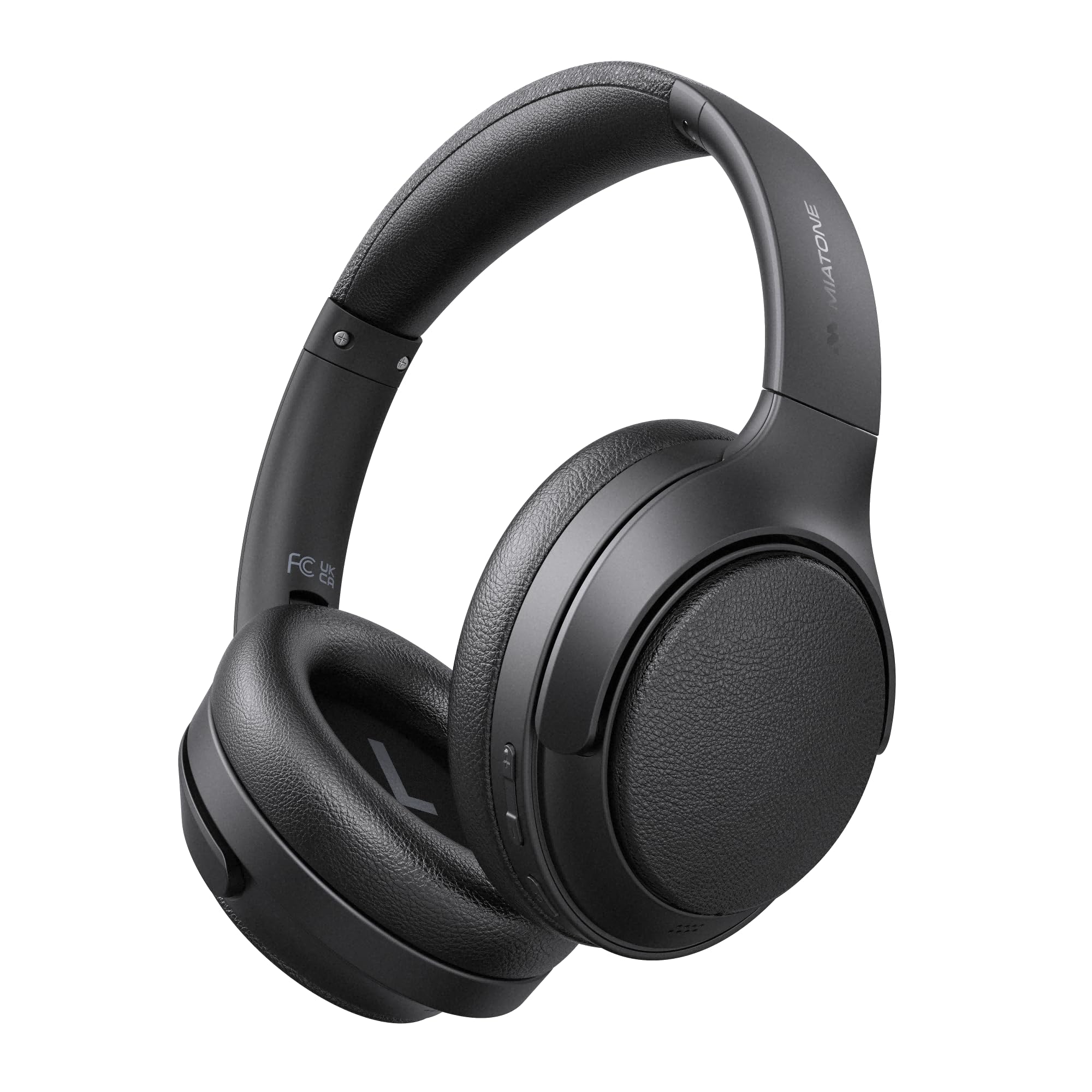
Image: MIATONE Seattle T-01A PRO Bluetooth Headphones in black, showcasing su elegante diseño.
Contenido del paquete
Asegúrese de que todos los artículos estén presentes en el paquete:
- MIATONE Seattle T-01A PRO Headphones x 1
- USB-C to USB-A Charging Cable x 1
- 3.5 cable de audio auxiliar de 1 mm.
- Estuche de transporte x 1
- Manual de usuario x 1

Image: Contents of the MIATONE Seattle T-01A PRO package, including headphones, cables, carrying case, and manual.
Producto terminadoview
The MIATONE Seattle T-01A PRO headphones feature a comfortable, foldable design with soft earcups and an adjustable headband for extended wear. They incorporate advanced audio technology for a superior listening experience.
Características principales:
- Cancelación activa de ruido híbrida (ANC): Reduce el ruido ambiental hasta 48dB.
- 5 AI Microphones: Ensures clear voice calls even in noisy environments.
- Controladores dinámicos duales: 40mm and 10mm LCP drivers deliver rich bass and clear treble.
- Batería de larga duración: Up to 60 hours of playback (45 hours with ANC).
- Conexión multipunto: Conectarse a dos dispositivos simultáneamente.
- Modos cableados e inalámbricos: Supports Bluetooth 5.4 and 3.5mm AUX connection.

Image: Diagram illustrating the adjustable headband, foldable shaft, multi-axis rotation, and soft earpads for enhanced comfort and portability.

Imagen: Explotada view of the headphone earcup, highlighting the 40mm and 10mm LCP dual dynamic drivers.
Configuración
1. Carga de los auriculares
Before first use, fully charge the headphones. Connect the provided USB-C charging cable to the headphone's charging port and the other end to a USB power adapter (not included) or a computer's USB port. The LED indicator will show charging status and turn off when fully charged.
- Una carga rápida de 5 minutos proporciona hasta 10 horas de reproducción.
- La carga completa tarda aproximadamente 2 horas.

Image: Visual representation of the headphones' extended battery life, indicating up to 60 hours of playback.
2. Encendido y apagado
- Encendido: Mantenga presionado el botón de encendido durante 2 segundos hasta que el indicador LED parpadee.
- Apagado: Mantenga presionado el botón de Encendido durante 3 segundos hasta que el indicador LED se apague.
3. Emparejamiento Bluetooth
When powered on for the first time, the headphones will automatically enter pairing mode. The LED indicator will flash blue and red alternately.
- Habilite Bluetooth en su dispositivo (teléfono inteligente, tableta, computadora).
- Buscar "MIATONE Seattle" in the list of available devices.
- Select "MIATONE Seattle" to connect. The LED indicator will turn solid blue when connected.
4. Conexión multipunto
The headphones support connecting to two Bluetooth devices simultaneously.
- Pair the headphones with the first device (e.g., smartphone).
- Desactiva el Bluetooth en el primer dispositivo. Los auriculares volverán al modo de emparejamiento.
- Pair the headphones with the second device (e.g., PC).
- Vuelve a activar el Bluetooth en el primer dispositivo. Los auriculares se conectarán automáticamente a ambos dispositivos.
Note: Audio playback will only come from one device at a time. You can switch between devices by pausing playback on one and starting it on the other.

Image: Diagram showing the headphones connected simultaneously to a smartphone and a laptop via multipoint Bluetooth.
5. Conexión por cable (modo AUX)
To use the headphones in wired mode, connect one end of the 3.5mm AUX audio cable to the headphone's AUX port and the other end to your audio source's 3.5mm jack. The headphones will automatically switch to AUX mode. Bluetooth functions will be disabled in wired mode.

Image: Illustration of both wired (AUX) and wireless (Bluetooth 5.4) connection options for the headphones.
Instrucciones de funcionamiento
1. Active Noise Cancelling (ANC) Modes
The headphones offer Hybrid ANC and Ambient Sound modes.
- ANC en: Press the ANC button once to activate Active Noise Cancelling. This mode reduces external noise by up to 48dB, ideal for travel or noisy environments.
- Modo de sonido ambiental: Press the ANC button again to switch to Ambient Sound mode. This allows you to hear your surroundings while still enjoying your audio.
- ANC desactivado: Press the ANC button a third time to turn off all noise control features.

Image: A woman wearing the headphones, demonstrating the -48dB noise reduction capability in various environments like trains, airplanes, and cafes.
2. Funciones de llamada
The integrated 5 AI microphones ensure clear communication.
- Responder/Finalizar llamada: Presione el botón multifunción una vez.
- Rechazar llamada: Mantenga presionado el botón multifunción durante 2 segundos.
- Activar asistente de voz: Presione dos veces el botón multifunción.

Image: A woman wearing the headphones, illustrating the effectiveness of the 5 AI microphones and AI noise cancelling for clear calls in various settings.
3. Reproducción de música
- Reproducir/Pausa: Presione el botón multifunción una vez.
- Pista siguiente: Mantenga presionado el botón para subir el volumen durante 2 segundos.
- Pista anterior: Mantenga presionado el botón para bajar el volumen durante 2 segundos.
4. Control de volumen
- Sube el volumen: Presione el botón subir volumen una vez.
- Bajar volumen: Presione el botón para bajar el volumen una vez.
Mantenimiento
1. Limpieza
- Limpie los auriculares con un paño suave y seco.
- No utilice limpiadores abrasivos ni disolventes.
- Mantenga el puerto de carga libre de polvo y residuos.
2. Almacenamiento
- When not in use, store the headphones in the provided carrying case to protect them from dust and damage.
- Evite almacenarlo en temperaturas extremas o en lugares con alta humedad.

Image: Hands placing the foldable MIATONE Seattle headphones into their protective carrying case for convenient storage and transport.
Solución de problemas
| Problema | Posible causa | Solución |
|---|---|---|
| No se puede encender | Batería baja | Cargue completamente los auriculares. |
| No se puede emparejar a través de Bluetooth | Headphones not in pairing mode / Bluetooth disabled on device | Ensure headphones are in pairing mode (flashing blue/red). Enable Bluetooth on your device and search again. |
| Sin sonido | Volume too low / Not connected / AUX cable inserted | Increase volume. Ensure headphones are connected. If using Bluetooth, remove AUX cable. |
| El Congreso Nacional Africano no es efectivo | ANC not activated / High-frequency noise | Press the ANC button to activate. ANC is most effective against low-frequency noise. |
| Mala calidad de llamada | Microphone obstructed / Weak Bluetooth signal | Ensure microphones are clear. Move closer to your connected device. |
Presupuesto
| Característica | Especificación |
|---|---|
| Nombre del modelo | T-01A PRO |
| Control de ruido | Cancelación activa de ruido híbrida (hasta 48 dB) |
| Tecnología de conectividad | Inalámbrico (Bluetooth 5.4), con cable (AUX de 3.5 mm) |
| Tamaño del controlador | 40mm + 10mm Dual Dynamic Drivers |
| Impedancia | 32 ohmios |
| Duración de la batería | Hasta 60 horas (ANC desactivado), hasta 45 horas (ANC activado) |
| Micrófonos | 5 AI Microphones for calls |
| Características especiales | Multipoint Connection, Ambient Sound Mode, Foldable Design |
| Dimensiones | 22.4 x 17.7 x 7.5 cm |
| Peso | 540 gramos |
Garantía y soporte
MIATONE products are designed for reliability and performance. For warranty information and customer support, please refer to the warranty card included in your package or visit the official MIATONE websitio. Guarde su recibo de compra para reclamos de garantía.
For further assistance, please contact MIATONE customer service.


