Introducción
The ProtoArc EM03 NL Wireless Bluetooth Trackball Mouse is designed to provide an ergonomic and efficient computing experience. This manual will guide you through the setup, operation, maintenance, and troubleshooting of your new trackball mouse, ensuring optimal performance and comfort.
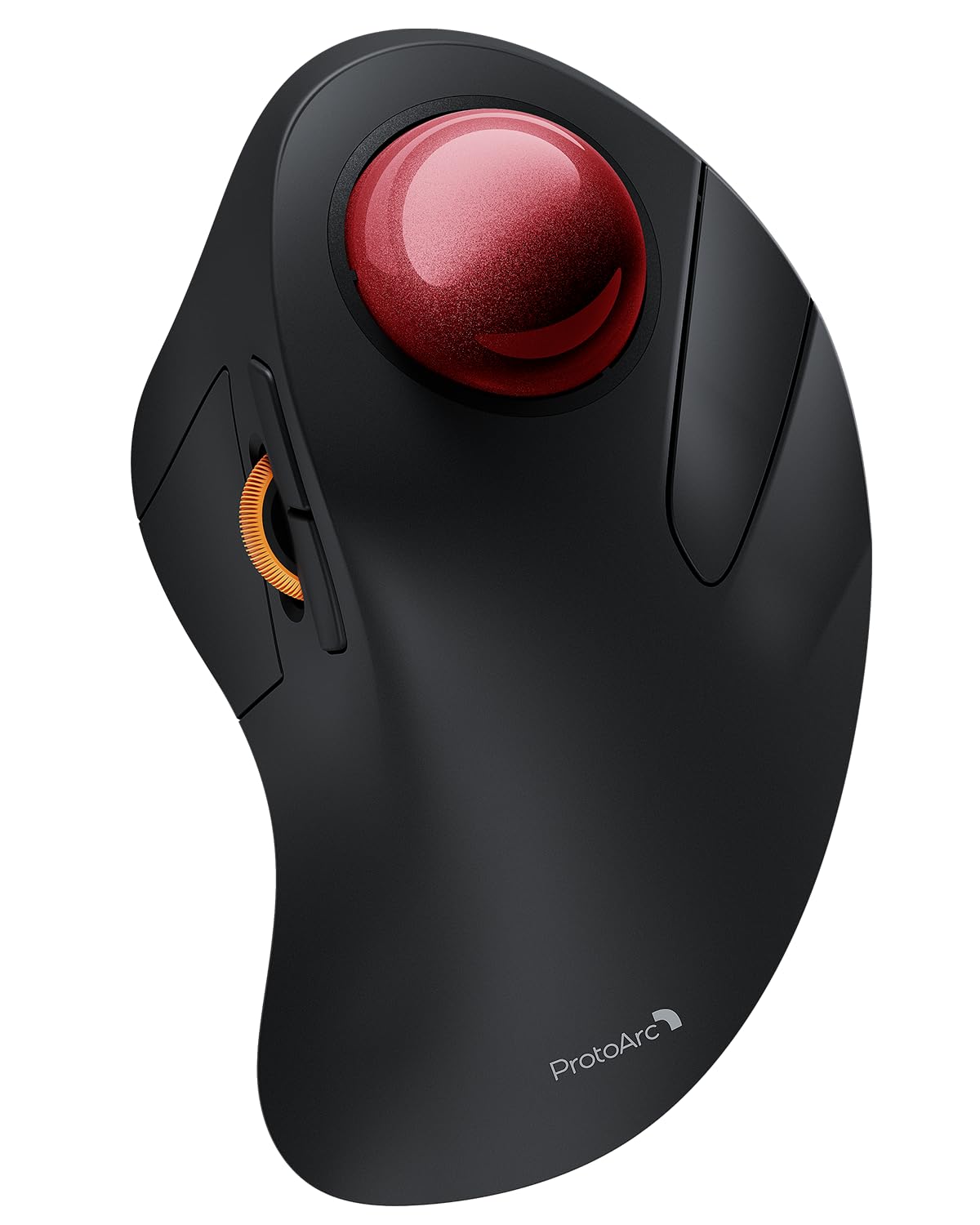
Image: The ProtoArc EM03 NL Wireless Bluetooth Trackball Mouse, showcasing su diseño ergonómico y trackball rojo.
¿Qué hay en la caja?
- Ratón con trackball
- Manual de usuario
- Receptor USB
- Cable de carga
Producto terminadoview
Familiarize yourself with the components and controls of your ProtoArc EM03 NL trackball mouse.

Image: A detailed diagram labeling the trackball, left/right buttons, scroll wheel, forward/backward buttons, DPI button, channel switch, power switch, and USB receiver slot.
- Bola de seguimiento: For precise cursor control using your index finger.
- Botones izquierdo/derecho: Funciones estándar de clic del mouse.
- Rueda de desplazamiento: Para desplazamiento vertical.
- Botones de avance/retroceso: Navegar por web páginas o documentos.
- Botón PPP: Adjust cursor sensitivity (200/400/800/1200/1600 DPI). Located on the bottom.
- Cambio de canal: Toggle between 2.4G wireless and two Bluetooth connections (BT1, BT2). Located on the bottom.
- Interruptor de alimentación: Turns the mouse On/Off. Located on the bottom.
- Ranura para receptor USB: Stores the 2.4G USB receiver. Located on the bottom.
Configuración y conexión
Your ProtoArc EM03 NL trackball mouse offers versatile connectivity options.
Conexión inalámbrica 2.4G
- Localice el receptor USB almacenado en la ranura en la parte inferior del mouse.
- Conecte el receptor USB a un puerto USB disponible en su computadora.
- Deslice el interruptor de encendido en la parte inferior del mouse a la posición "ON".
- Set the channel switch to the "2.4G" position. The indicator light will illuminate.
- Your mouse should now be connected and ready to use.
Conexión Bluetooth (BT1 / BT2)
- Deslice el interruptor de encendido en la parte inferior del mouse a la posición "ON".
- Slide the channel switch to either "BT1" or "BT2" position.
- Press and hold the channel switch button for 3 seconds until the corresponding indicator light flashes quickly. This indicates the mouse is in pairing mode.
- On your device (PC, iPad, Mac, etc.), go to Bluetooth settings and search for "ProtoArc EM03 NL".
- Select the mouse to pair. Once connected, the indicator light will stop flashing and remain solid.
- To connect a second Bluetooth device, repeat steps 2-5, selecting the other Bluetooth channel (BT1 or BT2).

Image: The underside of the mouse, highlighting the power switch, channel selection, and USB receiver storage for multi-device connectivity.
Video: An official ProtoArc video demonstrating the features and connectivity of the Wireless Bluetooth Trackball Mouse.
Operación
Ajuste de DPI
The mouse features 5 adjustable DPI levels (200/400/800/1200/1600 DPI) to customize cursor sensitivity. To change the DPI, press the DPI button located on the bottom of the mouse. Each press cycles through the available settings.

Image: Illustration of the DPI adjustment button on the mouse's underside and the USB-C charging port.
Uso del trackball
Control the cursor by rolling the 44mm trackball with your index finger. This allows for precise navigation without moving your wrist or arm, reducing strain.

Image: Close-up of the ProtoArc EM03 NL trackball mouse, highlighting its large 44mm trackball for precise control.
Botones de avance/retroceso
Use the dedicated forward and backward buttons, conveniently located near the scroll wheel, to quickly navigate through web páginas o carpetas.
Ergonomics & Comfort
The EM03 NL is designed to fit the natural curves of your hand, promoting a comfortable, neutral wrist posture. This ergonomic design helps prevent strain and fatigue during extended use.

Image: A hand resting naturally on the ergonomic ProtoArc EM03 NL trackball mouse, demonstrating comfortable usage.

Image: A graph illustrating the typical 1-2 week adaptation period for users to achieve maximum comfort and reduced muscle tension with the ergonomic design.
Batería y carga
The EM03 NL features a built-in 930mAh lithium battery. A single full charge provides up to 60 days of power. The mouse enters an auto-sleep mode after a few minutes of inactivity to conserve battery. Click any button to wake it up.
- Tiempo de carga: Aproximadamente 3.5 horas para una carga completa.
- Puerto de carga: USB-C.

Image: The ProtoArc EM03 NL trackball mouse being charged via its USB-C port.
Mantenimiento
To ensure smooth and precise tracking, regular cleaning of the trackball is recommended.
Limpieza del trackball
- Apague el mouse utilizando el interruptor de encendido en la parte inferior.
- Empuje suavemente el trackball desde la abertura inferior para quitarlo.
- Use a soft, lint-free cloth or cotton swab to clean the trackball and the inside of the trackball cavity, removing any dust or debris.
- Vuelva a insertar el trackball en su zócalo.

Image: Visual guide on how to remove and clean the trackball for optimal performance.
Presupuesto
| Modelo | EM03NL |
| Tecnología de conectividad | Conexión inalámbrica 2.4G, Bluetooth (BT1, BT2) |
| Niveles de DPI | 200/400/800/1200/1600 |
| Capacidad de la batería | Batería de litio de 930 mAh |
| Duración de la batería | Hasta 60 días (con una sola carga) |
| Tiempo de carga | Aproximadamente 3.5 horas |
| Detección de movimiento | Bola de seguimiento |
| Peso del artículo | 13.1 onzas |
| Dimensiones del paquete | 6.93 x 4.96 x 3.27 pulgadas |
Solución de problemas
- El ratón no responde: Ensure the mouse is powered on and correctly connected via 2.4G or Bluetooth. Check battery level.
- El movimiento del cursor es errático: Clean the trackball and its cavity as described in the Maintenance section. Adjust DPI settings if cursor is too fast or slow.
- No se puede emparejar a través de Bluetooth: Ensure the mouse is in pairing mode (flashing indicator light). Check your device's Bluetooth settings and try re-pairing.
- La conexión se cae con frecuencia: Ensure the mouse is within range of your device. Avoid interference from other wireless devices.
Garantía y soporte
ProtoArc products come with a standard manufacturer's warranty. For detailed warranty information, product support, or technical assistance, please visit the official ProtoArc website or contact their customer service. Contact information can typically be found in the included user manual or on the product packaging.
Websitio: www.protoarc.com


