Introducción
This manual provides detailed instructions for the setup, operation, maintenance, and troubleshooting of your realme GT 7T Smartphone. Please read this guide thoroughly to ensure proper use and to maximize the device's capabilities.
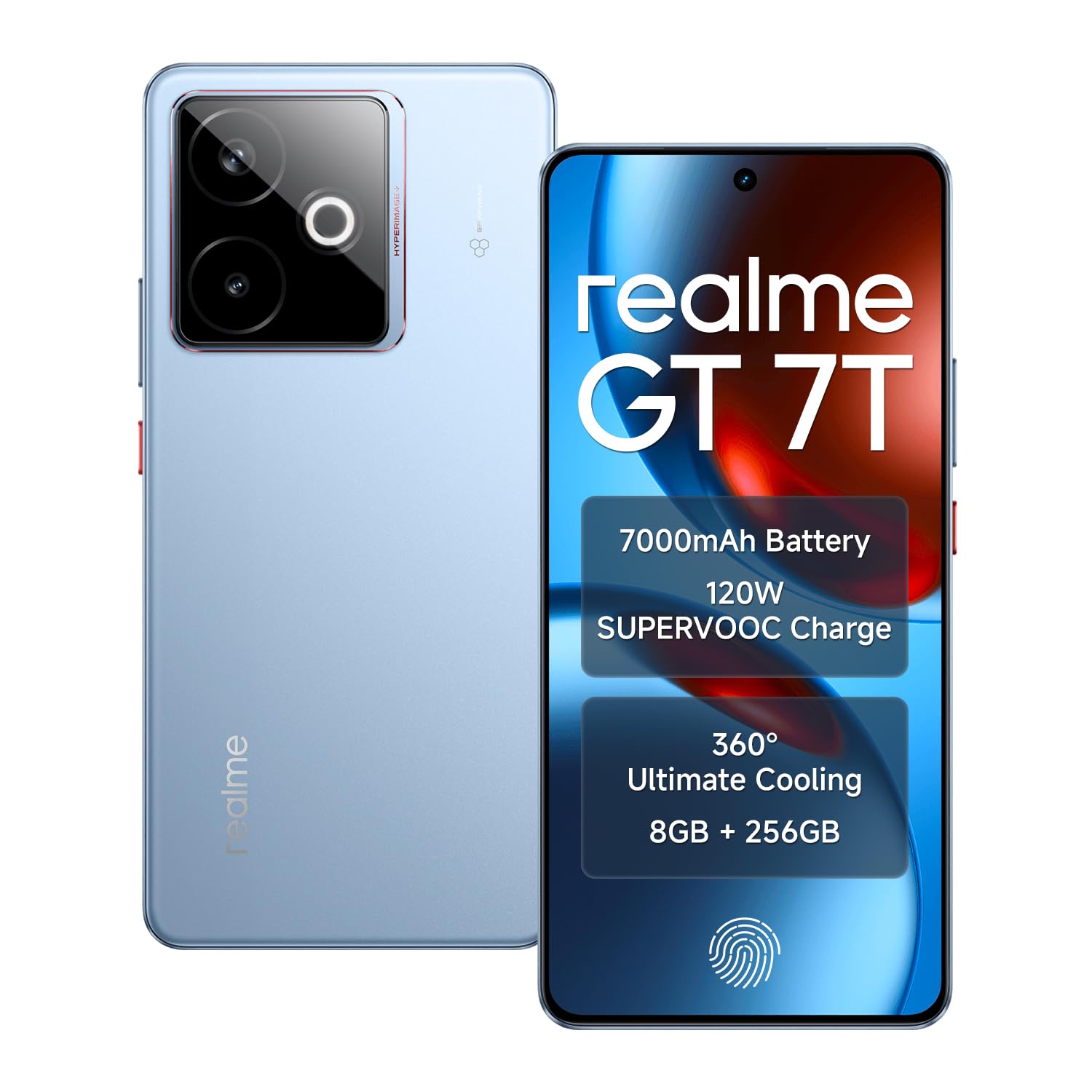
Image: The realme GT 7T Smartphone, showcasing su diseño y color.
The realme GT 7T features a 6.8-inch 120Hz display, MediaTek Dimensity 8400-MAX processor, 7000mAh battery with 120W UltraDART charging, a 50MP AI Triple Camera system, and IP69 durability. It operates on Android 15.
¿Qué hay en la caja?
Verifique que todos los artículos estén presentes en el embalaje:
- Teléfono inteligente realme GT 7T
- Cable de datos USB
- Charger (120W UltraDART)
- Guía de inicio rápido
Configuración
1. Inserte la tarjeta SIM
- Localice la bandeja de la tarjeta SIM en el costado del dispositivo.
- Utilice la herramienta de expulsión de SIM proporcionada para abrir la bandeja.
- Place your Nano-SIM cards (supports Dual 5G SIM) into the tray with the gold contacts facing down.
- Vuelva a insertar con cuidado la bandeja en el teléfono.
2. Carga inicial
Before first use, it is recommended to fully charge your realme GT 7T.
- Connect the USB data cable to the phone's charging port and the 120W UltraDART charger.
- Conecte el cargador a una toma de corriente.
- The device supports 120W fast charging, allowing for rapid power-up.
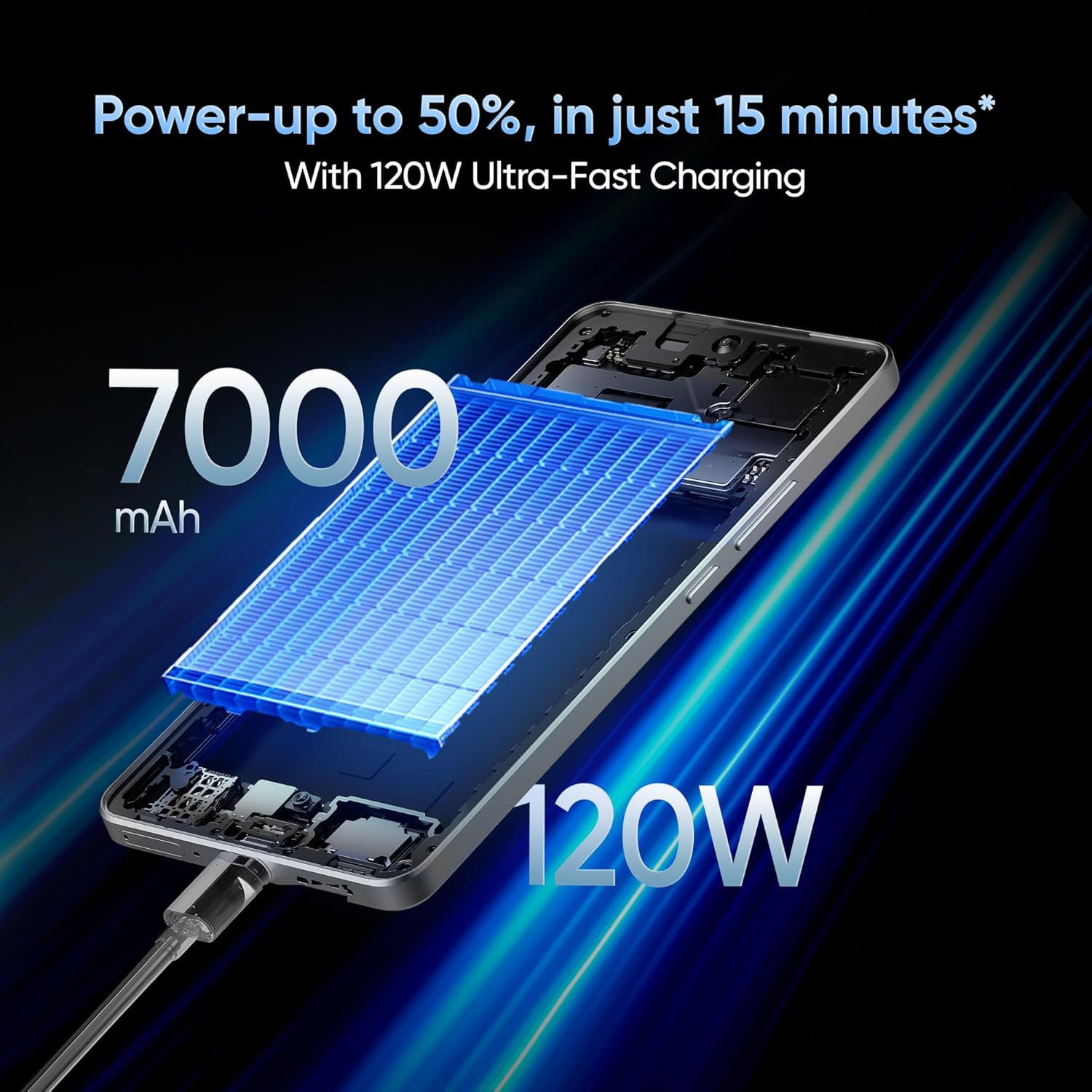
Image: The realme GT 7T connected to its 120W Ultra-Fast Charger, illustrating the rapid charging capability.
3. Encendido y configuración inicial
- Mantenga presionado el botón de encendido hasta que aparezca el logotipo de realme.
- Siga las instrucciones en pantalla para completar la configuración inicial, incluida la selección de idioma, la conexión Wi-Fi, el inicio de sesión de la cuenta de Google y la configuración de seguridad.
Instrucciones de funcionamiento
Visualización y navegación
The realme GT 7T features a 6.8-inch display with a 120Hz refresh rate for smooth visuals and a 2160Hz high-frequency PWM dimming to reduce eye strain.

Image: The realme GT 7T's 6.8-inch display showcasing sus colores vibrantes y su suave frecuencia de actualización de 120 Hz.
Actuación
Powered by the MediaTek Dimensity 8400-MAX 4nm chipset and 8GB RAM, the device offers high performance for multitasking and demanding applications.

Imagen: Un detalle view of the MediaTek Dimensity 8400-MAX Flagship Chipset, highlighting its advanced architecture.
Uso de la cámara
The AI Camera system includes a 50MP OIS main camera. Utilize features like AI Landscape Mode for enhanced scenery, AI Swift Capture for fast-moving subjects, and AI Reflection Elimination for clear shots through glass or water.
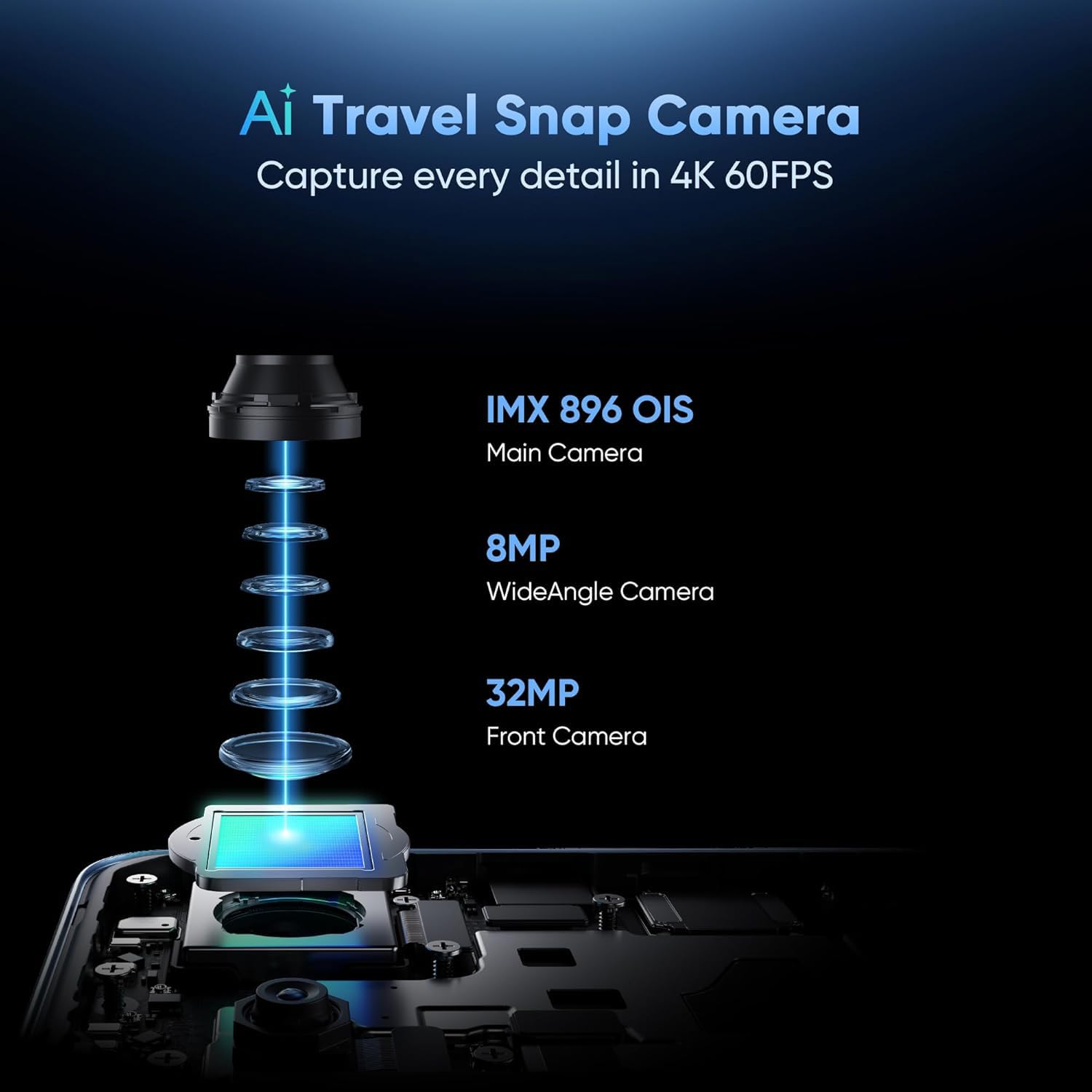
Imagen: Explotada view of the AI Travel Snap Camera system, detailing its IMX 896 OIS Main Camera, Wide Angle Camera, and Front Camera.
Conectividad
The device supports various connectivity options including Bluetooth, NFC, USB, Wi-Fi, and Dual 5G SIM for high-speed internet access.
Mantenimiento
Limpieza de su dispositivo
- Utilice un paño suave que no suelte pelusa para limpiar la pantalla y el cuerpo.
- Evite utilizar productos químicos agresivos o materiales abrasivos.
- The device has an IP69 rating for dust and water resistance, but avoid intentional submersion.

Image: The realme GT 7T highlighting its IP69 rating and ArmorShell™ Glass for enhanced durability.
Actualizaciones de software
Regularly check for and install software updates to ensure optimal performance, security, and access to new features. Updates are typically found in the device's Settings menu under "System" or "About Phone."
Sistema de enfriamiento
The IceSense graphene cooling system helps dissipate heat. Ensure the device's vents (if any) are not obstructed during heavy use.

Image: Two realme GT 7T phones illustrating the Graphene Cover IceSense Design for 360° Ultimate Cooling.
Solución de problemas
Problemas comunes y soluciones
- El dispositivo no se enciende: Asegúrese de que la batería esté cargada. Mantenga presionado el botón de encendido durante al menos 10 segundos.
- La pantalla no responde: Restart the device. If the issue persists, perform a force restart (refer to Quick Start Guide for specific key combinations).
- La batería se agota rápidamente: Close background applications, reduce screen brightness, disable unnecessary connectivity features (Bluetooth, GPS, Wi-Fi) when not in use. Check battery usage in Settings to identify power-hungry apps.
- Sobrecalentamiento durante el uso: Avoid using the device in direct sunlight or poorly ventilated areas. Close demanding applications. The IceSense cooling system is designed to manage heat, but prolonged heavy use can still generate warmth.
- Problemas de conectividad de red: Check if Airplane Mode is off. Restart the device. Verify SIM card insertion. Contact your network provider if problems persist.
Para problemas más complejos, considere realizar un restablecimiento de fábrica (Nota: Esto borrará todos los datos de su dispositivo. Haga una copia de seguridad de la información importante antes de continuar.) or contact realme customer support.
Presupuesto
| Característica | Detalle |
|---|---|
| Número de modelo | realme GT 7T |
| Sistema operativo | Androide 15 |
| Procesador | MediaTek Dimensity 8400-MAX 4nm |
| RAM | 8 GB |
| Mostrar | 6.8-inch, 120Hz Refresh Rate, 2160Hz PWM Dimming, 2560 x 1080 Resolution |
| Cámara principal | 50MP OIS AI Camera |
| Capacidad de la batería | 7000 mAh |
| Cargando | 120W UltraDART Fast Charging |
| Conectividad | Bluetooth, NFC, USB, Wi-Fi, Dual 5G SIM |
| Durabilidad | IP69 Water and Dust Resistance, ArmorShell™ Glass |
| Dimensiones | 16.24 x 7.6 x 0.82 cm |
| Peso | 202 gramos |
Garantía y soporte
Información de garantía
Your realme GT 7T Smartphone comes with a standard manufacturer's warranty. Please refer to the warranty card included in your product packaging for specific terms, conditions, and duration. Keep your proof of purchase for warranty claims.
Atención al cliente
Para obtener más ayuda, soporte técnico o consultas de servicio, visite el soporte oficial de realme. websitio o comuníquese con su línea directa de atención al cliente.
Realme oficial Websitio: Soporte de realme (Examp(el enlace real puede variar según la región)


