1. Introducción
Thank you for choosing the PSOS Dehumidifier 112233. This manual provides important information for the proper operation, maintenance, and troubleshooting of your new dehumidifier. Please read this manual thoroughly before using the appliance and retain it for future reference. This dehumidifier is designed to effectively reduce humidity levels in your indoor environment, contributing to a more comfortable and healthier living space.

Image 1.1: The PSOS Dehumidifier 112233, a compact and efficient unit designed to remove excess moisture from the air.
2. Información de seguridad
Siga siempre las precauciones básicas de seguridad al utilizar aparatos eléctricos para reducir el riesgo de incendio, descarga eléctrica y lesiones.
- Asegúrese de que el deshumidificador esté colocado sobre una superficie estable y nivelada.
- No opere la unidad con un cable o enchufe dañado.
- Mantenga las rejillas de entrada y salida de aire libres de obstrucciones.
- No sumerja la unidad, el cable de alimentación ni el enchufe en agua ni en otros líquidos.
- Desenchufe el deshumidificador antes de limpiarlo o realizar cualquier mantenimiento.
- Este aparato es solo para uso en interiores.
3. Producto terminadoview
The PSOS Dehumidifier 112233 features a user-friendly design with intuitive controls and efficient moisture removal capabilities.
3.1 Componentes
- Panel de control con pantalla digital
- Rejilla de entrada de aire
- Rejilla de salida de aire
- Tanque de agua extraíble
- Cable de alimentación
3.2 Panel de control
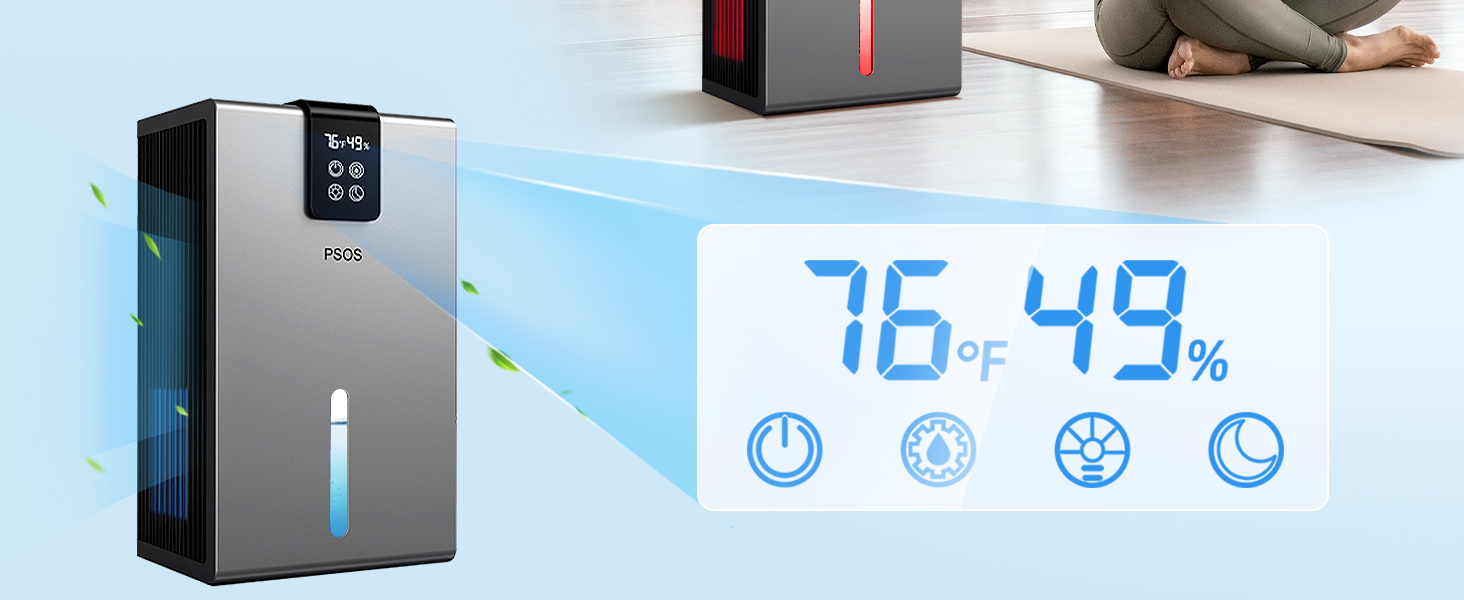
Image 3.1: Close-up of the digital control panel, displaying current temperature and humidity levels (e.g., 76°F, 49%).
The control panel allows you to monitor and adjust settings:
- Botón de encendido: Enciende o apaga la unidad.
- Botón de modo: Cycles through different operating modes (e.g., Dehumidify, Continuous, Sleep).
- Botón de velocidad del ventilador: Ajusta la velocidad del ventilador (Alta, Baja).
- Botón del temporizador: Establece un temporizador para el apagado automático.
- Botones de ajuste de humedad: Ajusta el nivel de humedad deseado.
- Botón de luz nocturna: Activates or changes the colorful atmosphere lights.
4. Configuración
Siga estos pasos para la configuración inicial de su deshumidificador:
- Deshacer: Retire con cuidado el deshumidificador de su embalaje. Conserve el embalaje para su posterior almacenamiento o transporte.
- Colocación: Place the unit upright on a firm, level surface in the desired room. Ensure there is at least 8 inches (20 cm) of space around the air inlet and outlet for proper airflow. Avoid placing it near heat sources or in direct sunlight.
- Conexión de energía: Enchufe el cable de alimentación a una toma eléctrica con conexión a tierra.
- Tanque de agua: Asegúrese de que el tanque de agua esté insertado correctamente en la unidad.
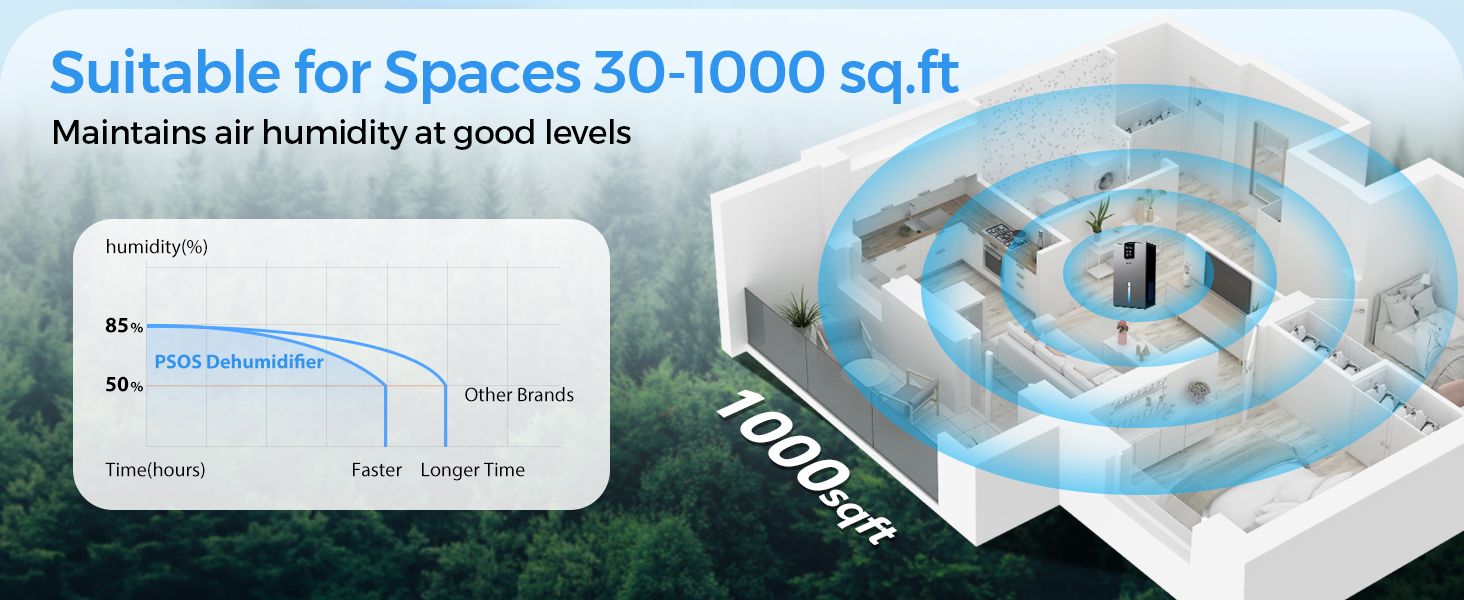
Image 4.1: The dehumidifier is suitable for various spaces up to 1000 sq.ft, including bedrooms, bathrooms, living rooms, and RVs, maintaining optimal humidity levels.
5. Instrucciones de funcionamiento
Learn how to operate your PSOS Dehumidifier for optimal performance.
5.1 Encendido/Apagado
- Presione el Fuerza button to turn the unit on. The digital display will show the current room temperature and humidity.
- Presione el Fuerza de nuevo para apagar la unidad.

Image 5.1: The dehumidifier features real-time monitoring of temperature and humidity, displayed on its integrated screen.
5.2 Ajuste de la humedad deseada
- Con la unidad encendida, presione el botón Ajuste de humedad buttons (Up/Down arrows) to set your desired humidity level (e.g., 40% - 60% is generally recommended).
- La unidad funcionará hasta que se alcance el nivel de humedad establecido, luego se encenderá y apagará para mantenerlo.
Modos de funcionamiento de 5.3
- Presione el Modo Botón para recorrer los modos disponibles.
- Modo de deshumidificación: Standard operation to reduce humidity to the set level.
- Modo continuo: The unit will run continuously regardless of humidity level, ideal for very damp condiciones.
- Sleep Mode (Quiet Mode): Reduces fan speed and dims display lights for quiet operation, suitable for bedrooms.
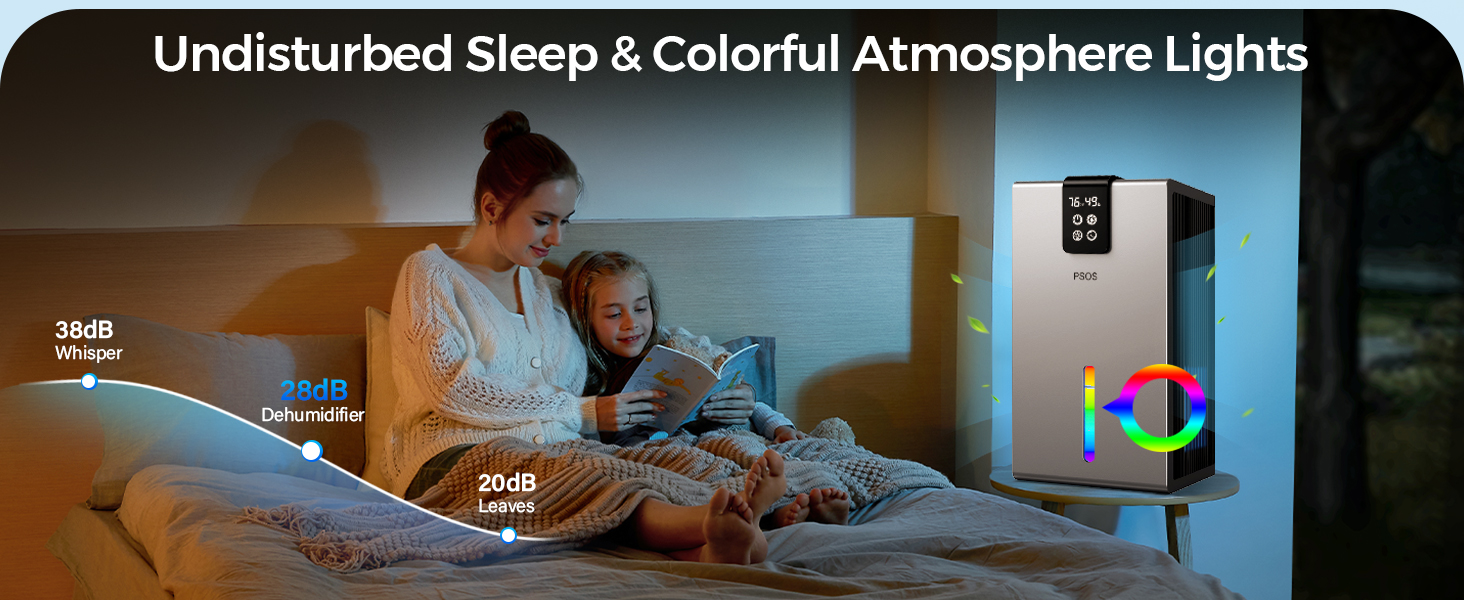
Image 5.2: Enjoy undisturbed sleep with the dehumidifier's low noise level (28dB) and customizable colorful atmosphere lights.
5.4 Función de temporizador
- Presione el Minutero button to set a desired operating time (e.g., 2, 4, 8 hours). The unit will automatically turn off after the set time.
5.5 luz de noche
- Presione el Luz de noche button to turn on the colorful LED light. Press again to cycle through colors or turn off.
6. Mantenimiento
El mantenimiento regular garantiza la longevidad y la eficiencia de su deshumidificador.
6.1 Vaciado del tanque de agua
When the water tank is full, the unit will automatically shut off and an indicator light will illuminate. The tank may also turn red.

Image 6.1: The dehumidifier features an automatic shut-down function when the water tank is full, indicated by the tank turning red.
- Extraiga con cuidado el tanque de agua de la unidad.
- Vacíe con cuidado el agua recogida en un fregadero o desagüe.
- Enjuague periódicamente el tanque con agua limpia para evitar la aparición de moho o hongos.
- Reinsert the empty water tank firmly into the dehumidifier until it clicks into place. The unit will resume operation.
6.2 Limpieza del filtro de aire
El filtro de aire debe limpiarse cada dos semanas o con mayor frecuencia según el uso y la calidad del aire.
- Desconecte el deshumidificador de la toma de corriente.
- Locate and remove the air filter (typically behind the air inlet grille).
- Use a vacuum cleaner to remove dust and debris from the filter. For heavy dirt, wash the filter with warm, soapy water.
- Deje que el filtro se seque completamente al aire antes de volver a colocarlo. No utilice secadora ni calor directo.
- Vuelva a insertar el filtro seco y vuelva a enchufar la unidad.
6.3 Limpieza general
- Limpie el exterior de la unidad con un paño suave yamp paño.
- No utilice productos químicos agresivos, abrasivos ni disolventes.
7. Solución de problemas
Antes de contactar con el servicio de atención al cliente, consulte la siguiente guía de solución de problemas para problemas comunes.
| Problema | Posible causa | Solución |
|---|---|---|
| La unidad no se enciende. | Sin energía; El cable de alimentación no está enchufado; Falta de energíatage. | Verifique la toma de corriente; asegúrese de que el cable esté enchufado de forma segura; verifique el disyuntor. |
| La unidad está funcionando pero no recoge agua. | Humidity level is already low; Room temperature is too low; Air filter is clogged. | Increase desired humidity setting; Ensure room temperature is above 41°F (5°C); Clean the air filter. |
| Water tank is full indicator is on, but tank is not full. | El tanque de agua no está insertado correctamente. | Retire y vuelva a insertar el tanque de agua firmemente. |
| La unidad es ruidosa. | La unidad no está sobre una superficie nivelada; filtro de aire obstruido. | Coloque la unidad sobre una superficie plana y estable; Limpie el filtro de aire. |
| El flujo de aire es débil. | Entrada/salida de aire bloqueada; filtro de aire obstruido. | Limpiar obstrucciones; limpiar el filtro de aire. |
8. Especificaciones
Technical details for the PSOS Dehumidifier 112233.
| Especificación | Detalle |
|---|---|
| Marca | PSOS |
| Nombre del modelo | 112233 |
| Color | Blanco |
| Capacidad | 14 pies cúbicos |
| Volumen del tanque | 98 onzas líquidas (aprox. 2.9 litros) |
| Dimensiones del producto | 32" de profundidad x 63" de ancho x 29" de alto |
| Peso del artículo | 5.74 libras |
| Área de cobertura | Hasta 1000 pies cuadrados |
| Código Postal | 777816474928 |
9. Garantía y soporte
PSOS is committed to providing high-quality products and excellent customer service.
9.1 Información de garantía
Your PSOS Dehumidifier 112233 comes with a manufacturer's warranty. Please refer to the warranty card included in your product packaging for specific terms and conditions. Keep your purchase receipt as proof of purchase.
9.2 Atención al cliente
For any questions, technical assistance, or warranty claims, please contact PSOS customer support. We aim to provide quick responses and lifetime technical support.

Image 9.1: PSOS offers 24-hour quick response, 30-day return for exchange, and lifetime technical customer support.
Puedes visitar nuestro sitio oficial website or contact us via the details provided on the product packaging or warranty card.

