1. Introducción
The SinoTrack V529 OBD2 Scanner is a professional diagnostic tool designed to provide comprehensive vehicle health reports. It offers a range of functions including reading and clearing diagnostic trouble codes, live data streaming, battery health tests, I/M readiness checks, and performance testing for gasoline vehicles. This manual provides detailed instructions for setting up and operating your V529 scanner.
1.1 Contenido del paquete
- V529 OBD2 Diagnostic Scanner
- PU Waterproof Bag
- Manual de usuario
1.2 Características principales
- Leer y borrar códigos: Access and clear diagnostic trouble codes (DTCs) across multiple vehicle systems.
- Transmisión de datos en vivo: View real-time data from various sensors, including oxygen sensor tests, with graphing capabilities.
- Battery Test & Voltagy Monitoreo: Medir el volumen de la bateríatage and cranking health to prevent unexpected breakdowns.
- Estado de preparación I/M: Verifique el estado de los monitores relacionados con las emisiones para determinar si el vehículo está listo para una prueba de inspección/mantenimiento.
- Mode 6 & Mode 8 (EVAP Test): Utilize advanced emissions monitoring and EVAP system tests.
- Pruebas de rendimiento: Conduct acceleration, braking, and distance tests to evaluate vehicle safety and performance.
- DTC Library & Repair Guidance: Access an extensive built-in database of over 40,000 fault codes with definitions and troubleshooting guides.
- Diseño fácil de usar: Features a 2.8-inch color screen, quick search function, data replay, and a smart indicator light.
- Soporte multilingüe: Supports 12 languages including English, German, French, Spanish, Japanese, and Russian.
2. Información de seguridad
Please read and understand all safety instructions before using the SinoTrack V529 OBD2 Scanner. Failure to follow these instructions may result in injury or damage to the device or vehicle.
- Realice siempre pruebas automotrices en un entorno seguro.
- No use ropa suelta ni joyas cuando trabaje en un vehículo.
- Keep the scanner away from hot engine parts or moving components.
- Asegúrese de que el vehículo esté estacionado en una superficie nivelada con el freno de estacionamiento aplicado.
- Never connect or disconnect the scanner while the ignition is on or the engine is running, unless specifically instructed by a diagnostic procedure.
- Use appropriate eye protection and gloves when necessary.
- The V529 is designed for gasoline vehicles and does not support advanced functions like ABS, SRS, TPMS, transmission temperature, service resets, or MS-CAN connections.
3. Configuración
The SinoTrack V529 scanner is designed for easy plug-and-play operation. It draws power directly from your vehicle's OBD-II port.
3.1 Locating the OBD-II Port
The OBD-II (On-Board Diagnostics II) port is typically located under the dashboard on the driver's side of the vehicle. In some vehicles, it may be found in the center console area or near the passenger side. Refer to your vehicle's owner's manual if you have difficulty locating it.
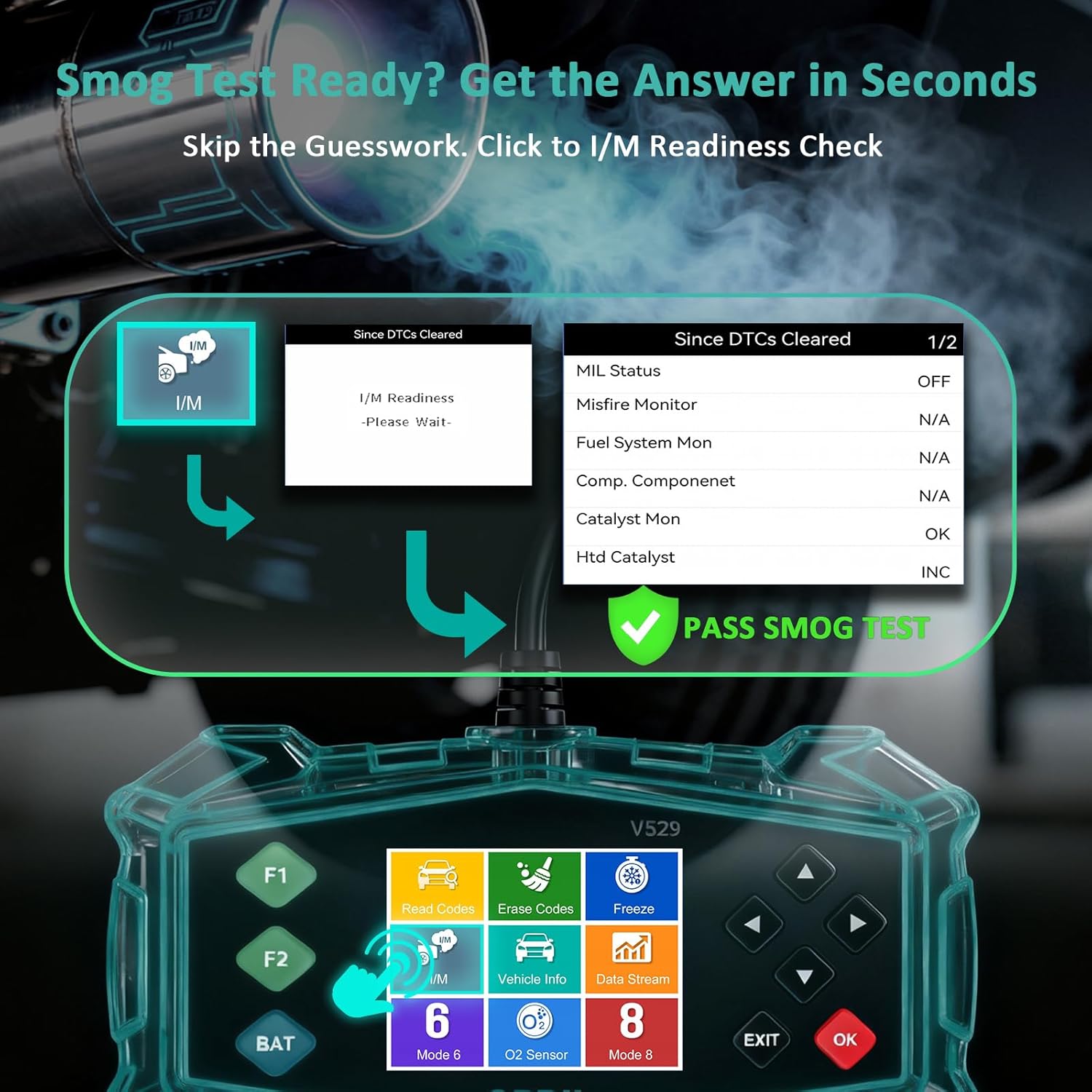
Figure 3.1: Universal Compatibility and OBD-II Port Location
3.2 Conexión del escáner
- Asegúrese de que el encendido del vehículo esté APAGADO.
- Plug the V529 scanner's OBD-II connector firmly into the vehicle's OBD-II port.
- Gire el encendido del vehículo a la posición ON (el motor puede estar apagado o en marcha, según la prueba). El escáner se encenderá automáticamente.
4. Instrucciones de funcionamiento
The V529 features a user-friendly interface with a 2.8-inch color screen and intuitive navigation buttons.
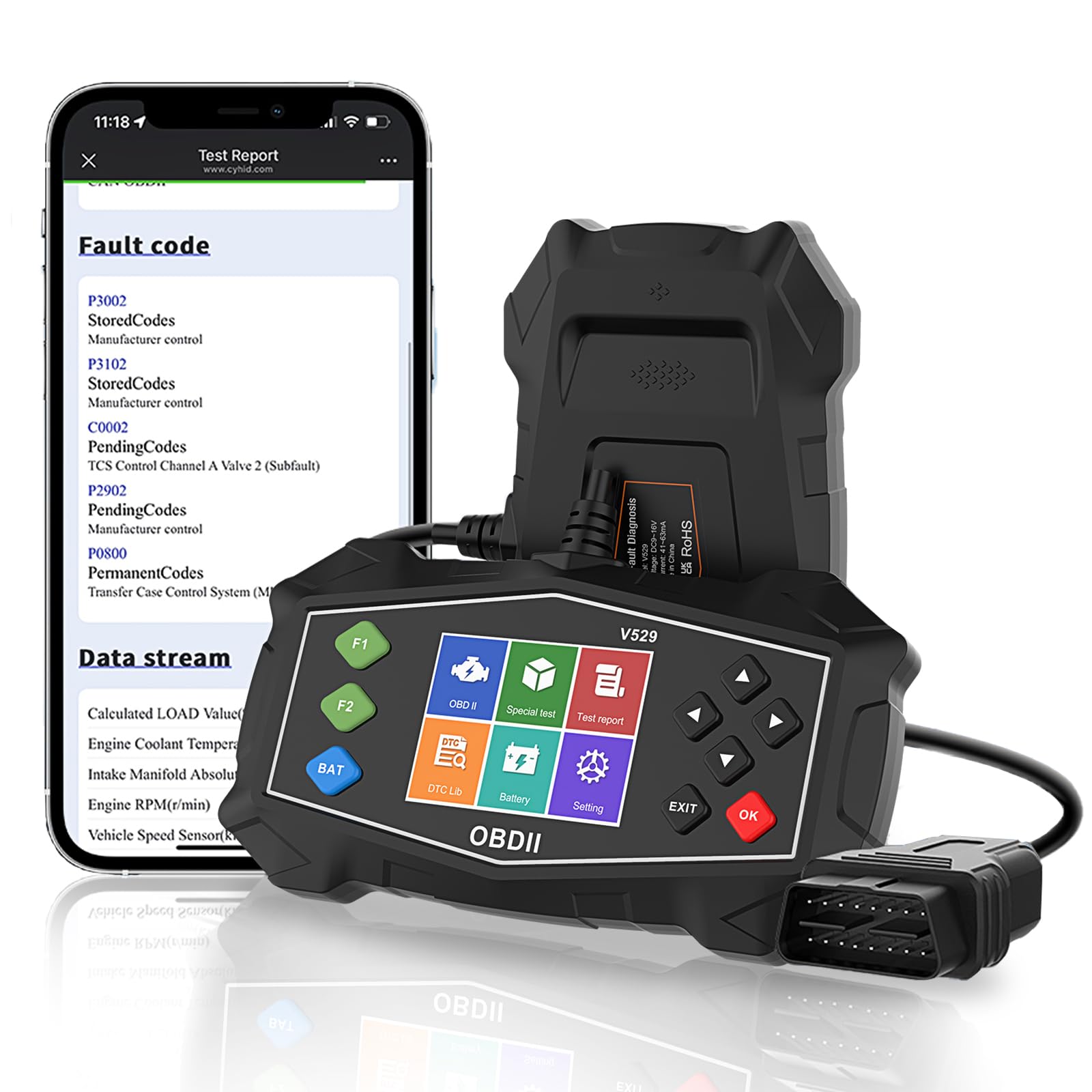
Figure 4.1: SinoTrack V529 Main Interface Overview
4.1 Navegación básica
- Utilice el ARRIBA/ABAJO Botones de flecha para desplazarse por las opciones del menú.
- Utilice el IZQUIERDA/DERECHA arrow buttons to navigate between screens or adjust values.
- Presione el OK button to confirm a selection or enter a menu.
- Presione el SALIR Botón para volver a la pantalla anterior o salir de una función.
4.2 Lectura y borrado de códigos de diagnóstico de problemas (DTC)
This function allows you to retrieve and clear fault codes that illuminate the Check Engine Light (MIL).

Figure 4.2: Core Diagnostic Functions
- Desde el menú principal, seleccione Leer códigos a view DTC actuales, pendientes y permanentes.
- The scanner will display the codes and their definitions.
- Para borrar códigos, seleccione Borrar códigos from the main menu. Confirm your selection when prompted.
- Note: Clearing codes will turn off the Check Engine Light, but if the underlying issue is not resolved, the light will reappear.
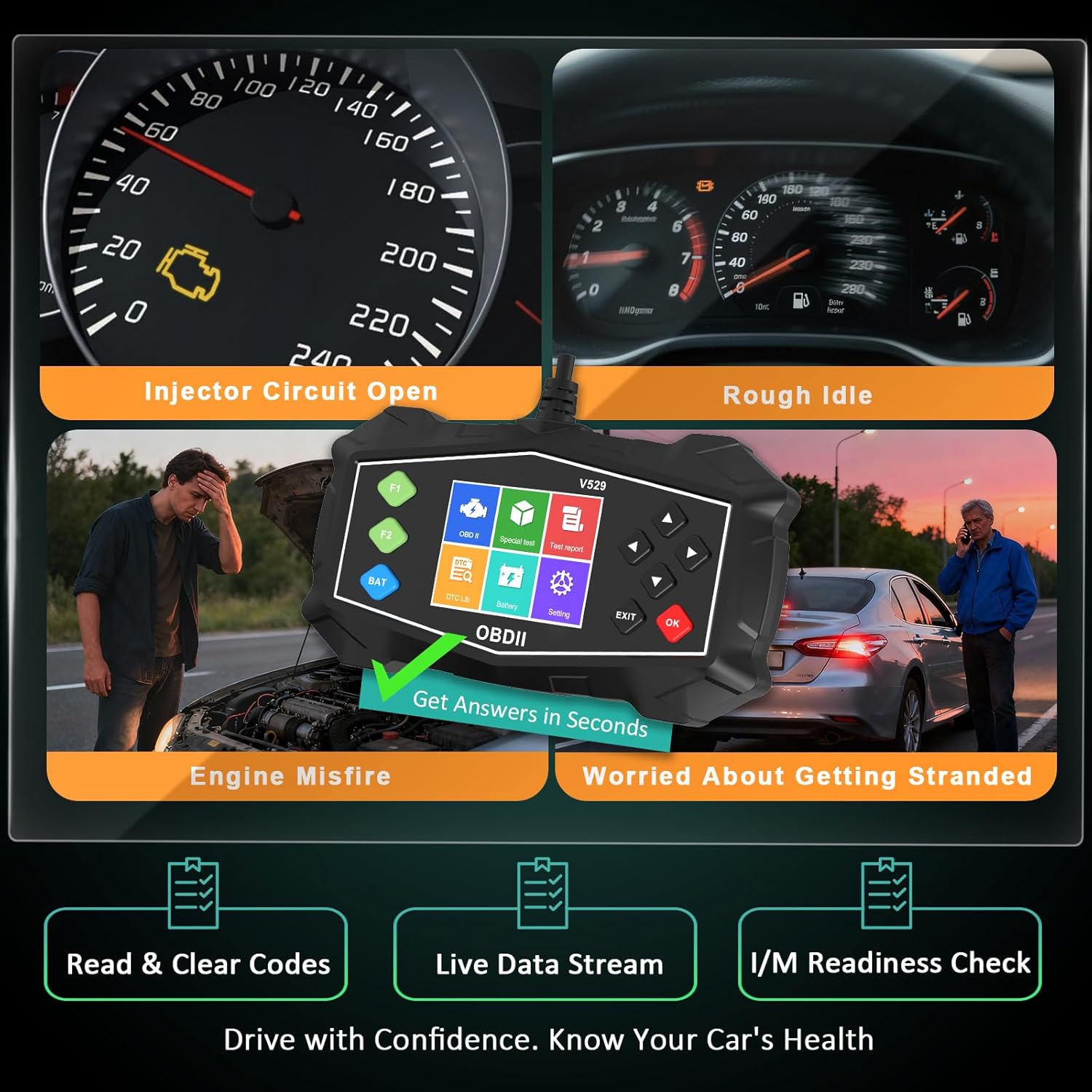
Figure 4.3: Identifying Common Vehicle Issues
4.3 Búsqueda de DTC
The V529 includes an extensive built-in library to define DTCs.
- Desde el menú principal, seleccione Biblioteca DTC.
- Enter the 5-character DTC using the arrow buttons and OK botón.
- The scanner will display the definition and potential causes for the code.

Figure 4.4: Instant DTC Definitions
4.4 Transmisión de datos en vivo
Monitor real-time sensor data to observe vehicle performance and diagnose intermittent issues.
- Desde el menú principal, seleccione Datos en vivo.
- Elige a view data in list format or graphical format.
- Scroll through the various parameters such as engine RPM, coolant temperature, fuel trim, and oxygen sensor readings.
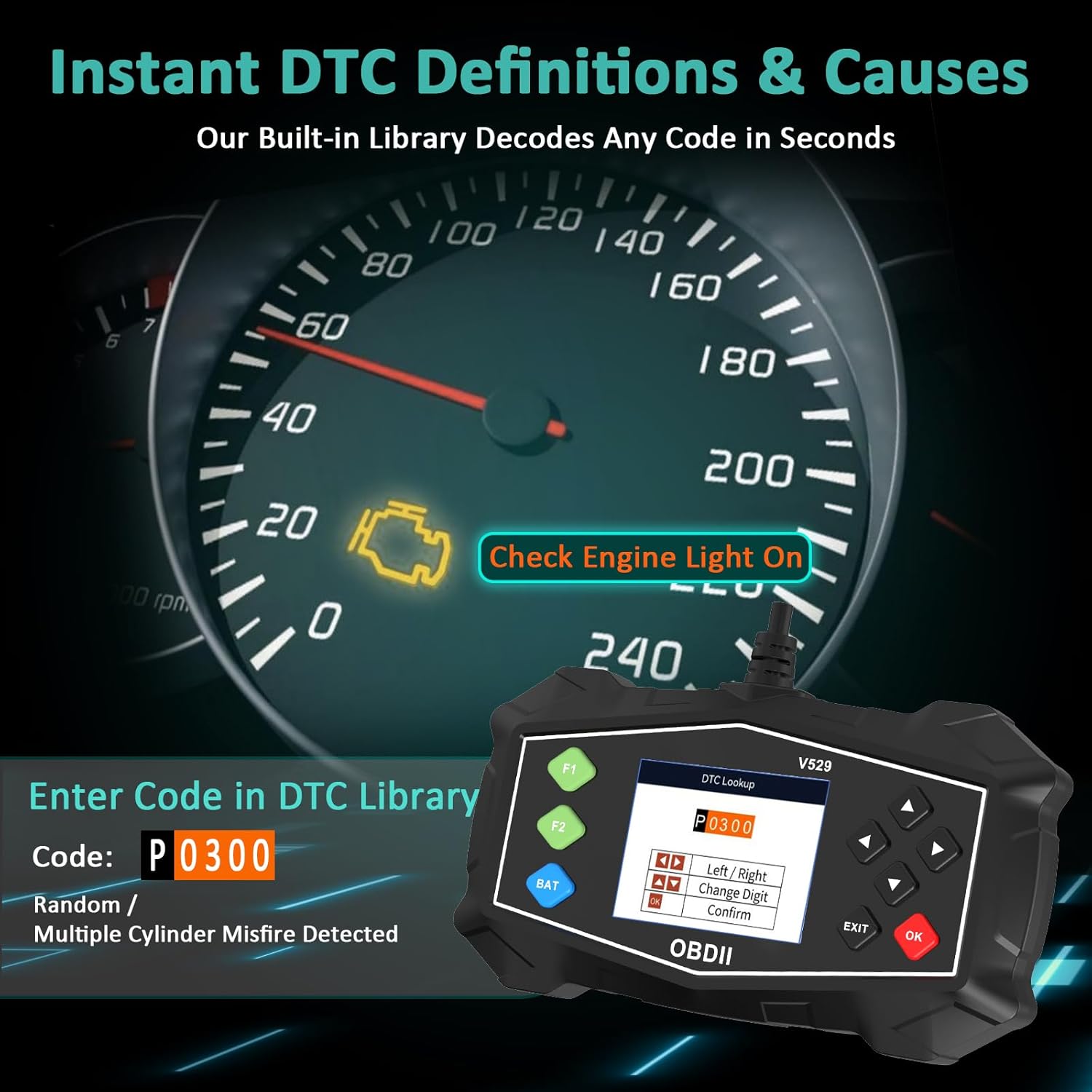
Figura 4.5: Interfaz de transmisión de datos en vivo
4.5 Comprobación de preparación I/M
This function checks the status of the vehicle's emission-related monitoring systems.
- Desde el menú principal, seleccione Preparación I/M.
- The scanner will display the status of various monitors (e.g., Misfire Monitor, Fuel System Monitor, O2 Sensor Monitor).
- A 'Ready' status indicates the monitor has completed its diagnostic cycle. 'Not Ready' means the cycle is incomplete.

Figura 4.6: Estado de preparación de I/M
4.6 Prueba de batería
Perform a quick test to assess the vehicle's battery voltage and cranking health.
- Desde el menú principal, seleccione Prueba de batería.
- Follow the on-screen prompts to perform the test.
- El escáner mostrará el volumen de la batería.tage and a health assessment.
4.7 Mode 6 & Mode 8 (EVAP Test)
These advanced functions provide access to non-continuous monitor test results and allow for control of the EVAP system leak test.
- Modo 6: Retrieves test results for continuously and non-continuously monitored systems.
- Modo 8 (Prueba EVAP): Inicia una prueba del Sistema de Control de Emisiones Evaporativas (EVAP) para verificar si hay fugas.
4.8 Pruebas de rendimiento
Evaluate your vehicle's acceleration, braking, and distance performance.
- Desde el menú principal, seleccione Prueba de rendimiento.
- Choose the desired test (Acceleration, Braking, or Distance).
- Follow the on-screen instructions carefully to perform the test safely.
5. Mantenimiento
Proper maintenance ensures the longevity and reliable operation of your SinoTrack V529 scanner.
- Limpieza: Utilice un paño suave y seco.amp Paño para limpiar el exterior del escáner. No utilice limpiadores abrasivos ni disolventes.
- Almacenamiento: Store the scanner in its protective PU waterproof bag when not in use. Keep it in a dry, cool place away from direct sunlight and extreme temperatures.
- Cuidado de cables: Avoid bending or crimping the OBD-II cable excessively. Always grasp the connector when plugging or unplugging, not the cable itself.
- Actualizaciones de software: Check the SinoTrack official webRevise periódicamente el sitio para ver si hay actualizaciones de software disponibles para garantizar un rendimiento y una compatibilidad óptimos.
6. Solución de problemas
If you encounter issues while using your SinoTrack V529 scanner, refer to the following common problems and solutions:
| Problema | Posible causa | Solución |
|---|---|---|
| El escáner no se enciende. | Loose connection; vehicle ignition off; blown fuse in vehicle's OBD-II circuit. | Ensure the scanner is firmly connected. Turn vehicle ignition to ON. Check vehicle's fuse box for a blown fuse related to the OBD-II port. |
| Mensaje de "Error de enlace" o "Error de comunicación". | Incorrect protocol; vehicle not OBD-II compliant; faulty connection. | Verify your vehicle is OBD-II compliant (most vehicles 1996 and newer). Ensure the connection is secure. Try on another OBD-II compliant vehicle if possible. |
| No se pueden borrar los DTC. | Ignition not in ON position; underlying fault still present. | Ensure ignition is ON (engine off). If the fault is still active, the code cannot be cleared until the issue is repaired. |
| La pantalla está congelada o no responde. | Fallo temporal del software. | Desconecte el escáner del vehículo, espere unos segundos y vuelva a conectarlo. Si el problema persiste, contacte con atención al cliente. |
7. Especificaciones
| Característica | Detalle |
|---|---|
| Marca | SinoTrack |
| Modelo | V529 |
| Tamaño de pantalla | 2.8 pulgadas |
| Fuente de poder | Eléctrico con cable (a través del puerto OBD-II) |
| Sistema operativo | Android 4.0 (Sistema interno) |
| Tipo de ajuste automotriz | Universal Fit (for OBD-II compliant gasoline vehicles) |
| Protocolos OBDII compatibles | SAE J1850 PWM, SAE J1850 VPW, ISO9141-2, ISO14230-4 KWP (inicio de 5 baudios), ISO14230-4 KWP (inicio rápido), ISO15765-4 CAN (ID de 11 bits, 500 kbaudios), ISO15765-4 CAN (ID de 29 bits, 500 kbaudios), ISO15765-4 CAN (ID de 11 bits, 250 kbaudios), ISO15765-4 CAN (ID de 29 bits, 250 kbaudios) |
| Peso del artículo | 15.5 onzas |
| Dimensiones del paquete | 8.7 x 5.08 x 1.93 pulgadas |
8. Garantía y soporte
SinoTrack products are designed for reliability and performance. For warranty information, technical support, or service inquiries, please refer to the contact information provided in your product packaging or visit the official SinoTrack websitio. Guarde su recibo de compra para reclamos de garantía.
Para obtener recursos adicionales y preguntas frecuentes, puede visitar el Tienda SinoTrack en Amazon.


