1. Introducción
Gracias por la compraasing the MangoKit SR-L WiFi Internet Radio. This device offers a versatile listening experience, combining WiFi Internet Radio, FM Radio, a Podcast Player, and Bluetooth streaming capabilities. It also features an alarm clock and can be powered by mains or batteries for portability. This manual provides detailed instructions for setup, operation, and maintenance to ensure optimal performance and enjoyment of your radio.
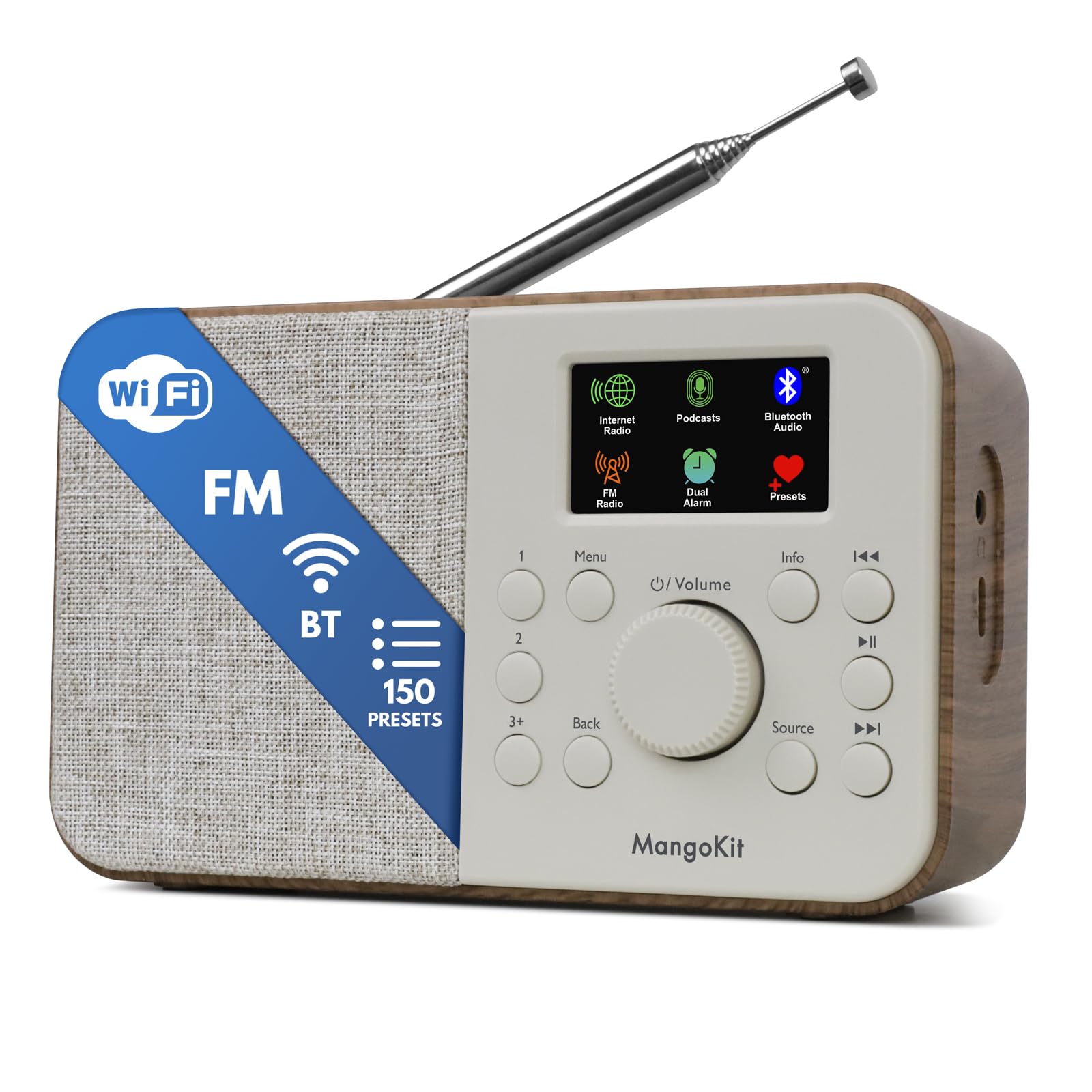
Image 1.1: The MangoKit SR-L WiFi Internet Radio in Walnut finish, showcasing su diseño compacto.
2. Información importante de seguridad
Lea todas las instrucciones de seguridad antes de usar el dispositivo. Conserve este manual para futuras consultas.
- No exponga la unidad a la lluvia, la humedad o temperaturas extremas.
- Evite colocar la unidad cerca de fuentes de calor o bajo la luz solar directa.
- Asegúrese de que haya una ventilación adecuada; no bloquee las aberturas de ventilación.
- Utilice únicamente el adaptador de corriente proporcionado.
- No intente desmontar ni modificar la unidad. Encargue cualquier reparación a personal cualificado.
- Deseche las baterías de forma responsable de acuerdo con las regulaciones locales.
3. Contenido del paquete
Verifique que todos los artículos estén presentes en el paquete:
- MangoKit SR-L WiFi Internet Radio
- Adaptador de corriente
- Manual del propietario
4. Producto terminadoview
The MangoKit SR-L features an intuitive control panel and a full-color display for easy navigation and information display.

Imagen 4.1: Un primer plano view of the MangoKit SR-L's front panel, highlighting the display, rotary knob, and control buttons.
Controles y pantalla:
- Full Colour Display: Muestra información de la estación, la hora y las opciones del menú.
- Perilla giratoria (Volumen/Seleccionar): Turn to adjust volume or navigate menus; press to confirm selections.
- Botón de menú: Accede al menú principal.
- Botón Atrás: Vuelve a la pantalla o menú anterior.
- Botón de fuente: Switches between Internet Radio, FM, Bluetooth, and Podcast modes.
- Botones preestablecidos (1, 2, 3+): Acceso rápido a estaciones favoritas guardadas.
- Botón de información: Displays additional information about the current broadcast.
- Botones de saltar/sintonizar: Navegar por pistas o sintonizar frecuencias de radio.
- Botón de encendido: Enciende y apaga la unidad.
5. Fuente de alimentación
The MangoKit SR-L can be powered by the included mains adapter or by batteries for portable use.
5.1 Energía de red
Conecte el adaptador de corriente provisto al puerto DC IN en la parte posterior de la radio y luego conéctelo a un tomacorriente de pared estándar.
5.2 Energía de la batería
For portable operation, insert 4 AA batteries (not included) into the battery compartment on the back of the unit. Ensure correct polarity. The radio can provide up to 10 hours of portable listening on batteries.

Image 5.1: The MangoKit SR-L radio used outdoors, demonstrating its portability with battery power.
6. Configuración inicial
Upon first power-on, the radio will guide you through the initial setup process.
- Selección de idioma: Utilice el botón giratorio para seleccionar su idioma preferido y presione para confirmar.
- Hora y fecha: Set the current time and date. This can often be synchronized automatically via the internet once connected.
- Conexión de red (Wi-Fi):
- La radio buscará redes Wi-Fi disponibles.
- Seleccione su red de la lista.
- Enter your Wi-Fi password using the rotary knob to select characters and press to confirm each character.
- Una vez conectado, la radio confirmará la conexión.
7. Modos de funcionamiento
The MangoKit SR-L offers multiple listening modes. Press the Fuente Botón para cambiar entre ellos.
7.1 Radio por Internet
Accede a miles de estaciones de radio de todo el mundo a través de tu conexión Wi-Fi.
- Select 'Internet Radio' from the source menu.
- Browse stations by location, genre, or use the search function.
- Use the rotary knob to navigate and select a station.
- Guardar ajustes preestablecidos: To save a station, press and hold one of the preset buttons (1, 2, or 3+). To recall a preset, simply press the corresponding button. The radio supports up to 150 presets.
Video 7.1: An official product video demonstrating the features of the MangoKit SR-L, including Internet Radio, FM, and Bluetooth functionality.
7.2 Radio FM
Escuche transmisiones FM locales.
- Select 'FM Radio' from the source menu.
- Extienda la antena telescópica para obtener una mejor recepción.
- Use the skip/tune buttons to manually tune or auto-scan for stations.
- Save and recall FM stations using the preset buttons as described for Internet Radio.
7.3 Transmisión por Bluetooth
Conecte su teléfono inteligente o tableta para reproducir audio de forma inalámbrica.
- Select 'Bluetooth' from the source menu. The radio will enter pairing mode.
- On your device, enable Bluetooth and search for 'MangoKit SR-L'.
- Selecciona la radio que deseas emparejar. Una vez conectada, podrás transmitir audio desde tu dispositivo.
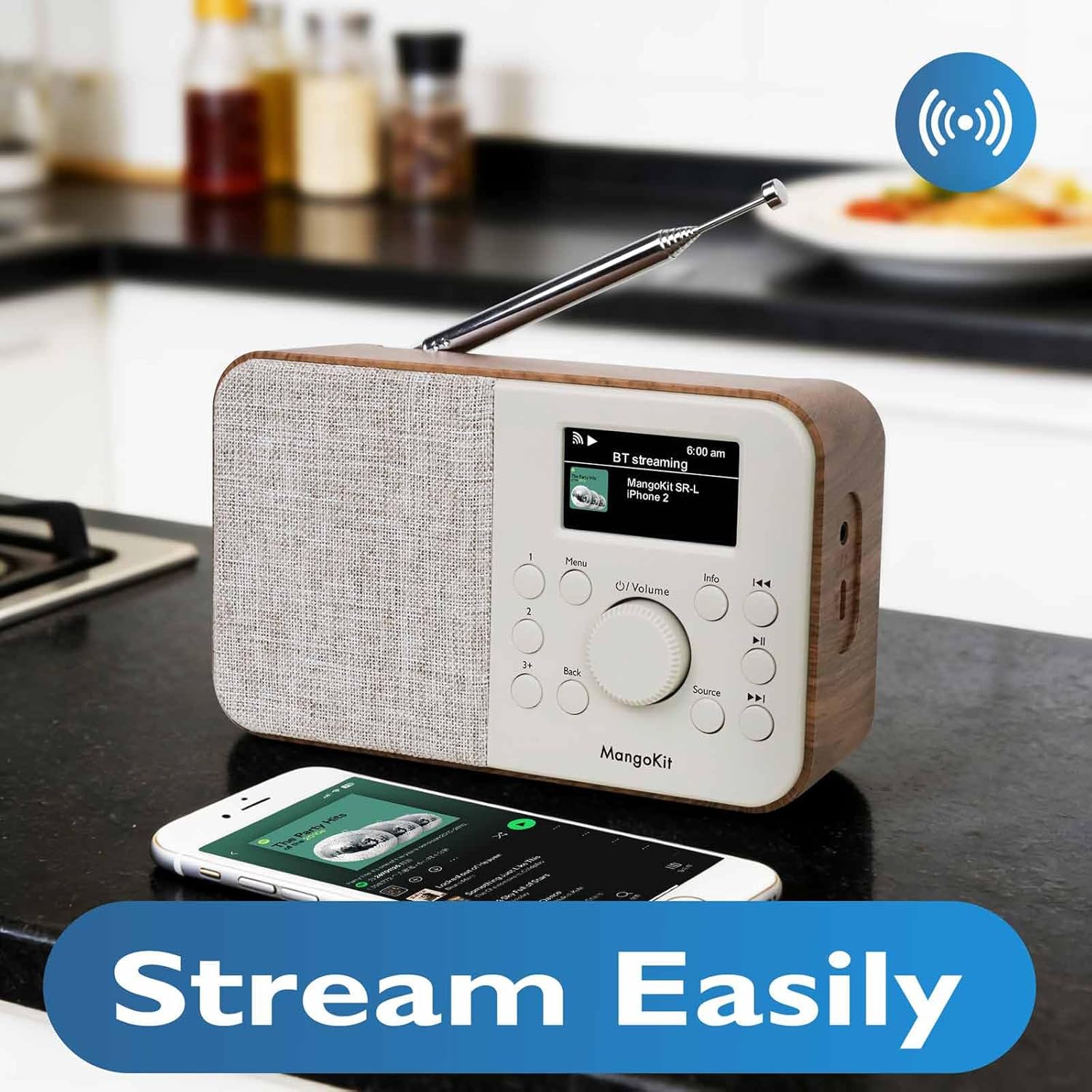
Image 7.2: The MangoKit SR-L radio connected via Bluetooth to a smartphone, demonstrating wireless audio streaming.
7.4 Reproductor de podcast
Browse and listen to podcasts directly on the radio.
- Select 'Podcast' from the source menu.
- Browse podcasts by category, search, or view recently played.
- Select an episode to play. The player allows you to save and return to favorite episodes.
8. Despertador y temporizador de apagado
The MangoKit SR-L includes an alarm clock and a sleep timer function.
8.1 Configuración de la alarma
- Access the 'Alarm' option from the main menu.
- Configurar hasta dos alarmas independientes.
- Configure alarm time, source (FM, Internet Radio, or buzzer), and volume.
- Enable or disable the alarm. When an alarm sounds, press any button to snooze or the power button to turn it off.
8.2 Temporizador de sueño
El temporizador de apagado permite que la radio se apague automáticamente después de un período establecido.
- Access the 'Sleep Timer' option from the main menu.
- Seleccione la duración deseada (por ejemplo, 15, 30, 60 minutos).
- The radio will count down and automatically switch off.
9. Mantenimiento
To ensure the longevity and optimal performance of your MangoKit SR-L radio, follow these maintenance guidelines:
- Limpieza: Utilice un paño suave y seco para limpiar el exterior de la radio. No utilice limpiadores abrasivos, ceras ni disolventes.
- Antena: Manipule la antena telescópica con cuidado para evitar que se doble o se rompa.
- Almacenamiento: Si va a guardar la radio durante un período prolongado, retire las baterías para evitar fugas.
10. Solución de problemas
Si tiene problemas con su radio, consulte los siguientes problemas y soluciones comunes:
| Problema | Posible causa | Solución |
|---|---|---|
| Sin poder | Adaptador de corriente no conectado; baterías agotadas o insertadas incorrectamente. | Verifique la conexión del adaptador de corriente; reemplace las baterías o asegúrese de que la polaridad sea correcta. |
| No Internet Radio connection | Incorrect Wi-Fi password; Wi-Fi signal too weak; router issue. | Vuelva a ingresar la contraseña de Wi-Fi; acerque la radio al enrutador; reinicie el enrutador. |
| Recepción de FM deficiente | Antena no extendida; interferencia. | Fully extend the telescopic antenna; reposition the radio. |
| El emparejamiento de Bluetooth falló | La radio no está en modo de emparejamiento; el dispositivo está demasiado lejos; el dispositivo ya está emparejado con otra unidad. | Ensure radio is in Bluetooth mode; bring devices closer; unpair from other devices. |
| Sin sonido | Volume too low; mute activated; headphones connected. | Increase volume; check if mute is active; disconnect headphones if not needed. |
11. Especificaciones
| Característica | Detalle |
|---|---|
| Número de modelo | SR-L |
| Dimensiones del producto | 7 x 3 x 2.5 pulgadas |
| Peso del artículo | 1 libra |
| Tecnología de conectividad | Bluetooth, wifi |
| Tecnología de sintonizador | Radio por Internet, FM |
| Fuente de poder | Corded Electric, Battery (4 AA, not included) |
| Característica especial | Portable, Alarm Clock, Podcast Player, 150 Presets |
| Mostrar | Full Colour Display |
| Toma de auriculares | Sí |
12. Garantía y soporte
MangoKit products are designed for reliability and performance. This product comes with a standard manufacturer's warranty. Please refer to the warranty card included in your package for specific terms and conditions.
Atención al cliente:
For technical assistance, troubleshooting, or warranty inquiries, please contact MangoKit customer support through the retailer where you purchased the product or visit the official MangoKit websitio para información de contacto.


