Introducción
This manual provides essential information for the safe and effective use of your UREVO U1 Walking Pad Under Desk Treadmill. Please read this manual thoroughly before operating the device and retain it for future reference. Proper use and maintenance will ensure the longevity and optimal performance of your walking pad.
Instrucciones de seguridad importantes
Para reducir el riesgo de lesiones graves, siga siempre las precauciones básicas al utilizar este aparato, incluidas las siguientes:
- Lea todas las instrucciones antes de utilizar la almohadilla para caminar.
- Mantenga a los niños y las mascotas alejados del equipo.
- Coloque la almohadilla para caminar sobre una superficie plana y estable.
- Ensure adequate clearance around the walking pad (at least 20 inches on each side and 40 inches at the rear).
- No utilice el andador si tiene un cable o enchufe dañado o si no funciona correctamente.
- No utilizar al aire libre ni en interiores.amp condiciones.
- Use calzado deportivo apropiado.
- The maximum user weight capacity is 265 lbs (120 kg). Do not exceed this limit.
- Disconnect from power supply before cleaning or servicing.
Producto terminadoview
The UREVO U1 Walking Pad is designed for convenient indoor exercise, featuring a compact design and quiet operation. It includes a durable walking belt, an integrated LED display, and a remote control for easy operation.

Image: UREVO U1 Walking Pad in operation, demonstrating its compact design and user experience.
Características principales:
- Doble absorción de impactos: Features a 5-layer anti-slip belt, 8 silicone shock absorbers, and 2 soft rubber pads for joint protection.
- Powerful Quiet Motor: Equipped with a 2.25HP motor for quiet operation, suitable for home and office environments.
- Pantalla LED y control remoto: Real-time display of time, calories, steps, speed, and distance. Remote control includes a mute button.
- Funcionalidad 2 en 1: Adjustable speed range from 0.6-4 mph, suitable for both walking and light jogging. Can be used under a desk.
- Diseño portátil: Lightweight with front wheels for easy movement and compact storage under a bed or sofa.

Image: Visual comparison highlighting the longer and wider walking belt of the UREVO U1 for enhanced user comfort.
Configuración
- Desembalaje: Carefully remove the walking pad from its packaging. The UREVO U1 is designed for immediate use with no assembly required.
- Colocación: Place the walking pad on a firm, level surface. Ensure there is sufficient space around the unit for safe operation. Avoid placing it on thick carpets that might obstruct ventilation or movement.
- Conexión de energía: Plug the power cord into a grounded electrical outlet. Ensure the power switch on the walking pad is in the OFF position before plugging it in.
- Inspección inicial: Antes del primer uso, inspeccione la banda para caminar para detectar cualquier signo de daño o desalineación.

Image: The UREVO U1 Walking Pad demonstrating its space-saving design, shown being stored under furniture.
Instrucciones de funcionamiento
Encendido/apagado:
- To power on, flip the main power switch located at the front of the walking pad to the ON position. The LED display will illuminate.
- Para apagar, coloque el interruptor de encendido principal en la posición APAGADO.
Usando el control remoto:
The remote control allows you to start, stop, and adjust the speed of the walking pad. It features magnets for convenient attachment to the treadmill when not in use.
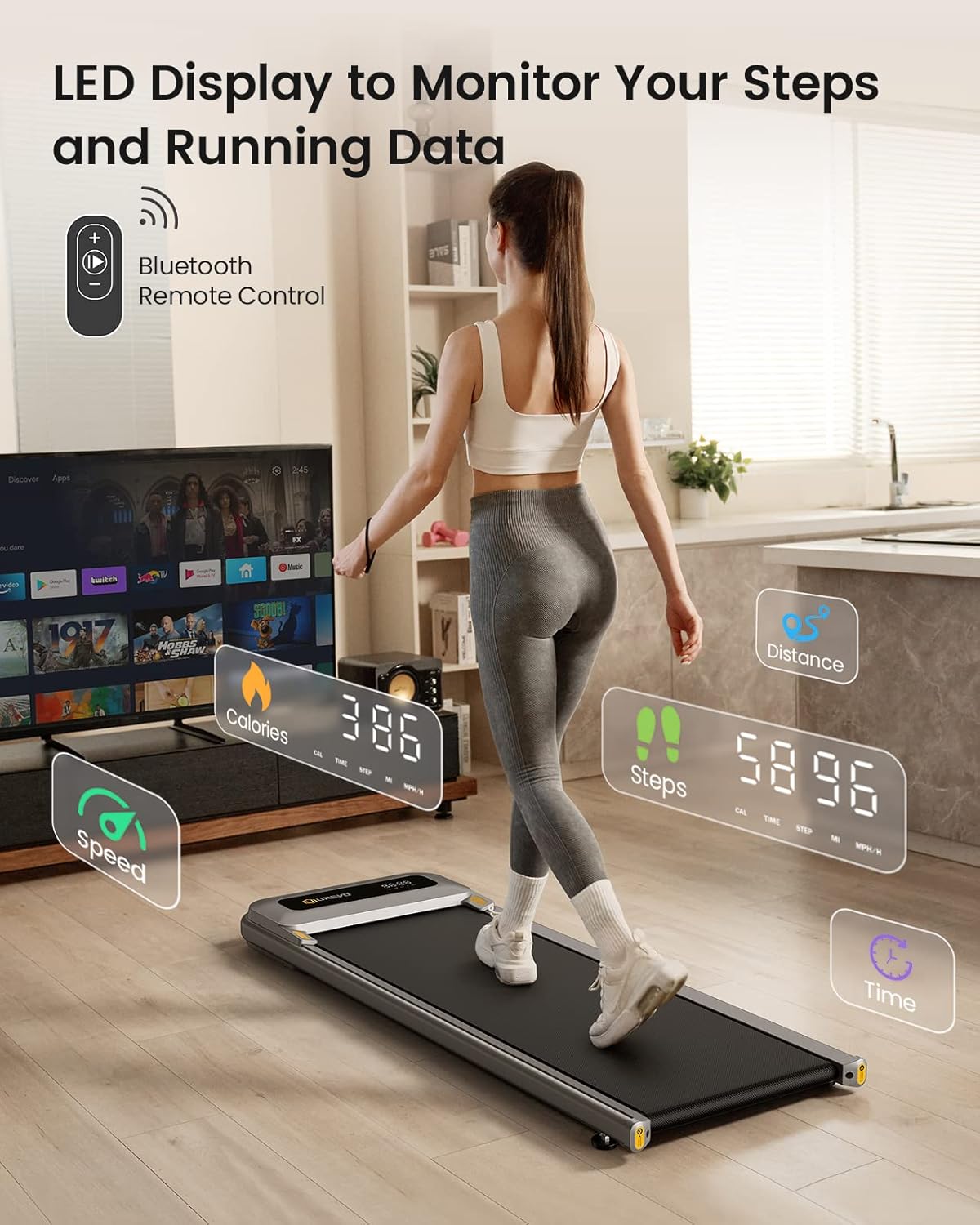
Image: The UREVO U1 LED display showing exercise data and the remote control for operation.
- Botón de inicio / parada: Presione para comenzar o finalizar su entrenamiento.
- Ajuste de velocidad (+/-): Use these buttons to increase or decrease the walking speed. The speed range is 0.6 to 4 mph.
- Botón de silencio: Press to silence the operational beeps.
Pantalla LED:
La pantalla LED integrada proporciona información en tiempo real sobre las métricas de tu entrenamiento:
- Tiempo: Duración de su sesión de ejercicio.
- Calorías: Estimación de calorías quemadas.
- Pasos: Número de pasos dados.
- Velocidad: Current walking/jogging speed in mph.
- Distancia: Distancia total recorrida.
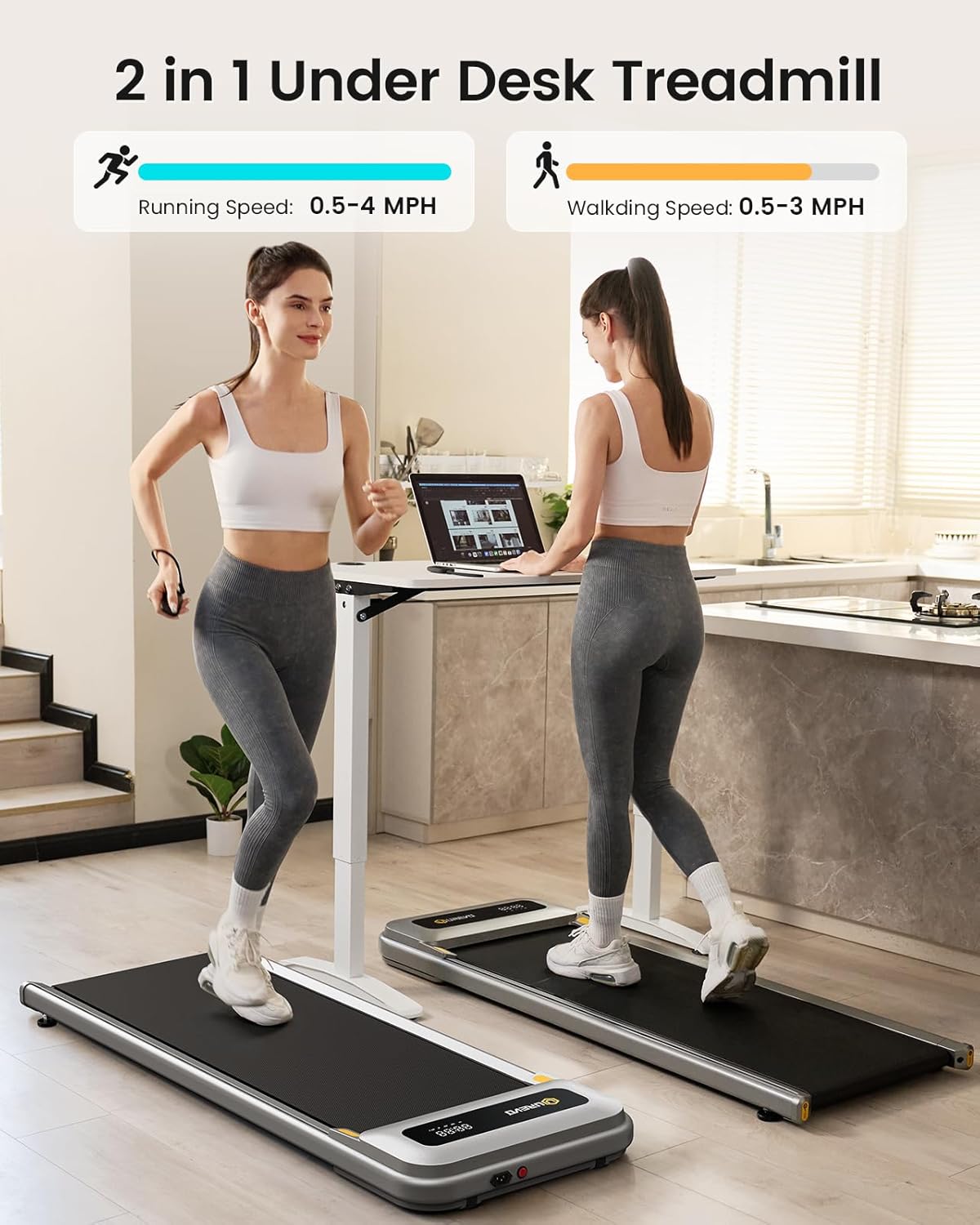
Image: The UREVO U1 Walking Pad illustrating its dual functionality for both walking and light jogging, with corresponding speed ranges.
Mantenimiento
Regular maintenance ensures the longevity and safe operation of your UREVO U1 Walking Pad.
Limpieza:
- Desenchufe siempre el andador antes de limpiarlo.
- Wipe down the surface of the walking pad and display with a soft, damp paño. Evite el uso de limpiadores o disolventes abrasivos.
- Mantenga el área alrededor de la cubierta del motor libre de polvo y residuos.
Lubricación:
The walking belt requires periodic lubrication to ensure smooth operation and prevent wear. Refer to the included lubrication instructions or contact customer support for guidance on the correct type and application of lubricant.
Ajuste de la correa:
Over time, the walking belt may become misaligned or loose. If the belt is slipping or tracking unevenly, refer to the adjustment instructions provided with your product or contact customer support. Typically, this involves using an Allen wrench to adjust the tension bolts at the rear of the walking pad.
Solución de problemas
If you encounter issues with your UREVO U1 Walking Pad, consult the following common solutions:
| Problema | Posible causa | Solución |
|---|---|---|
| La plataforma para caminar no se enciende. | Power cord not plugged in; main switch off; circuit breaker tripped. | Asegúrese de que el cable de alimentación esté bien enchufado. Revise el interruptor principal. Reinicie el disyuntor de la casa si es necesario. |
| La banda para caminar se resbala o se tambalea. | Correa demasiado floja; lubricación insuficiente. | Adjust belt tension (refer to maintenance section). Apply silicone lubricant if needed. |
| El control remoto no responde. | Batería baja en el control remoto; control remoto no emparejado. | Replace remote control battery. Ensure remote is pointed towards the walking pad's receiver. |
| Ruido inusual durante el funcionamiento. | Componentes sueltos; desalineación de la correa; problema con el motor. | Inspect for loose screws. Adjust belt alignment. If noise persists, discontinue use and contact customer support. |
Presupuesto
| Característica | Detalle |
|---|---|
| Marca | UREVO |
| Nombre del modelo | U1 |
| Potencia del motor | 2.25 HP (Peak 2.5 HP) |
| Rango de velocidad | 0.6 - 4 millas por hora |
| Capacidad máxima de peso | 265 libras (120 kg) |
| Dimensiones del producto (LxAnxAl) | 47.6" de profundidad x 18.9" de ancho x 4.4" de alto |
| Walking Area (Belt) | 15" x 40.2" (aproximadamente) |
| Peso del artículo | 55.1 libras |
| Material | Plástico |
| Característica especial | Portable, Double Shock Absorption |
| Requiere ensamblaje | No |
Garantía y soporte
Información de garantía:
The UREVO U1 Walking Pad comes with a garantía de un año A partir de la fecha de compra. Esta garantía cubre defectos de fabricación en condiciones normales de uso. Conserve su comprobante de compra para reclamaciones de garantía.
Atención al cliente:
For any questions, technical assistance, or warranty claims, please contact UREVO customer support. You can typically find contact information on the UREVO official websitio o a través de su plataforma de compra.
Para obtener más información, visite el Tienda UREVO en Amazon.


