1. Introducción
This HOMCOM wall-mounted TV stand is designed to optimize your living space by elevating your media center. It frees up floor space, contributing to a more open and tidy environment, and simplifies cleaning. The unit features a specific slot for a set-top box and a cable opening, elegantly concealing all cables for a clean and organized look in your gaming and streaming space.
It offers a flip-down drawer for storing items like remote controls, two open shelves for media devices, and a wide tray for display or additional storage, making this TV unit both practical and aesthetic. With its dimensions of 120 cm wide, this white TV unit is ideal for televisions up to 50 inches, combining functionality and design.

Figure 1: The HOMCOM Wall-Mounted TV Stand installed in a modern living room, showcasing its space-saving design and integrated storage.
2. Información de seguridad
Advertencia: Mount the furniture to the wall using the supplied screws to prevent the risk of tipping. Keep out of reach of children. Ensure the wall material is suitable for supporting the weight of the TV stand and its contents. If unsure, consult a professional for installation.
3. Contenido del paquete
Antes del montaje, verifique que todos los componentes estén presentes y sin daños. Si alguna pieza falta o está dañada, contacte con atención al cliente.
- Paneles para soporte de TV (varios tamaños)
- Assembly Hardware (screws, dowels, cam locks, hinges)
- Wall Mounting Hardware (screws, wall anchors)
- Manual de instrucciones
4. Configuración y montaje
Assembly of this wall-mounted TV stand is required. Follow these general steps for proper installation. Specific detailed instructions and diagrams are provided in the included paper manual.
- Prepare el área: Clear the wall where the TV stand will be mounted. Ensure there are no electrical wires or plumbing in the drilling path.
- Ensamblar la unidad: Follow the step-by-step instructions in the provided manual to assemble the main body of the TV stand, including the drawer and shelves.
- Marcar los puntos de montaje en la pared: Hold the assembled unit against the wall at the desired height. Use a level to ensure it is straight. Mark the drilling points for the wall mounting brackets.
- Perforar agujeros e instalar anclajes: Drill pilot holes at the marked points. Insert appropriate wall anchors suitable for your wall type (e.g., concrete, drywall).
- Monte el soporte del televisor: Securely attach the TV stand to the wall using the provided screws and mounting hardware. Ensure it is firmly fixed and stable before placing any items on it.
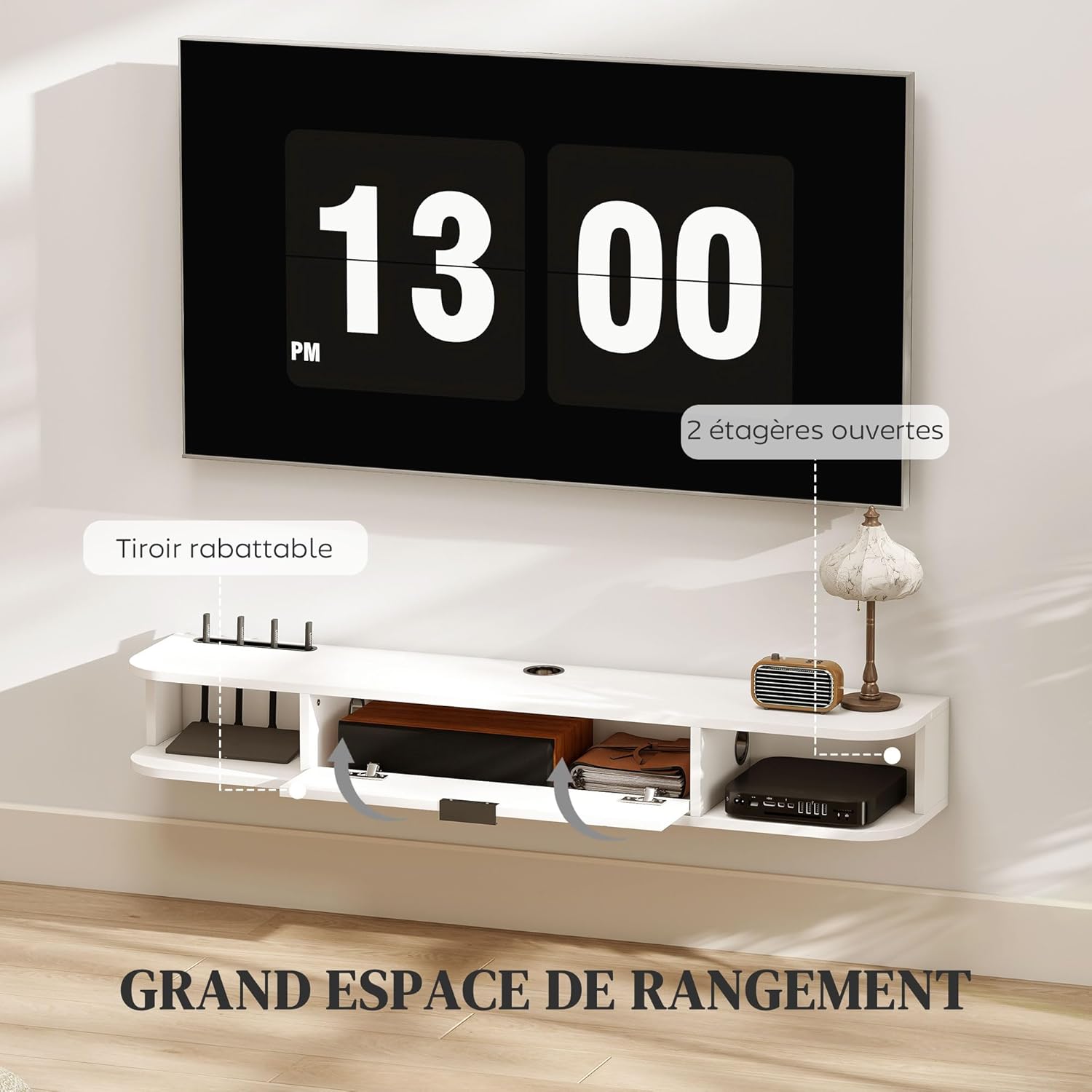
Figura 2: Sobreview of the TV stand's storage features, including the flip-down drawer and two open shelves, crucial for assembly planning.
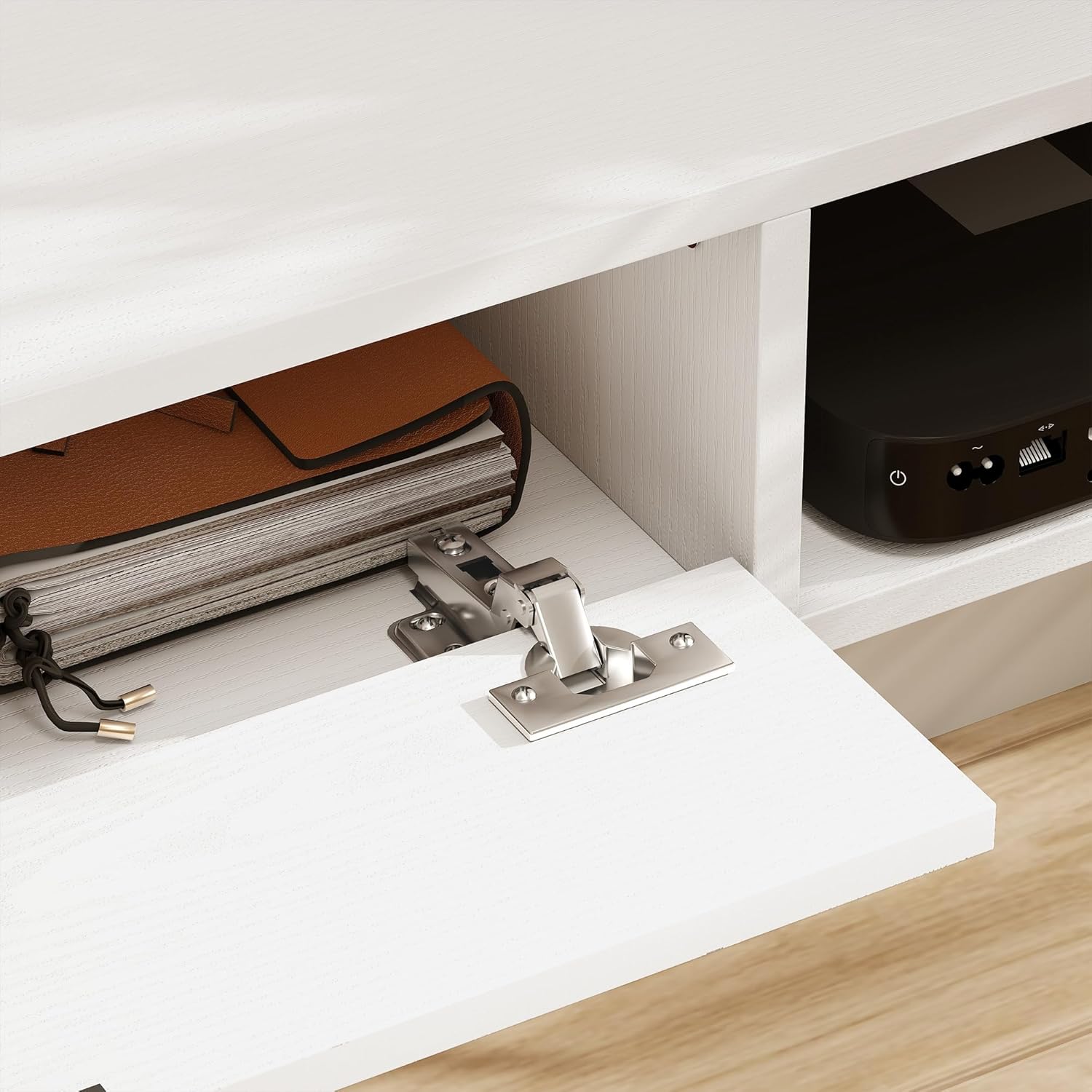
Figure 3: Detail of the hinge mechanism for the flip-down drawer, illustrating a key component for assembly.
5. Instrucciones de funcionamiento
Once assembled and securely mounted, the HOMCOM TV stand provides functional storage and display space.
- Sistema de organización de cables: Utilize the integrated cable hole to route and conceal power cords and signal cables from your TV and media devices. This helps maintain a tidy appearance and prevents cable clutter.
- Almacenamiento: The flip-down drawer is suitable for storing smaller items like remote controls, game controllers, or manuals. The two open shelves are ideal for media players, soundbars, or decorative items.
- Capacidad de peso: Do not exceed the maximum recommended load of 45 kg (99 lbs) for the entire unit. Distribute weight evenly across the shelves and drawer.

Figura 4: Un primer plano view of an open shelf, demonstrating the integrated cable management hole for organizing electronic device wires.
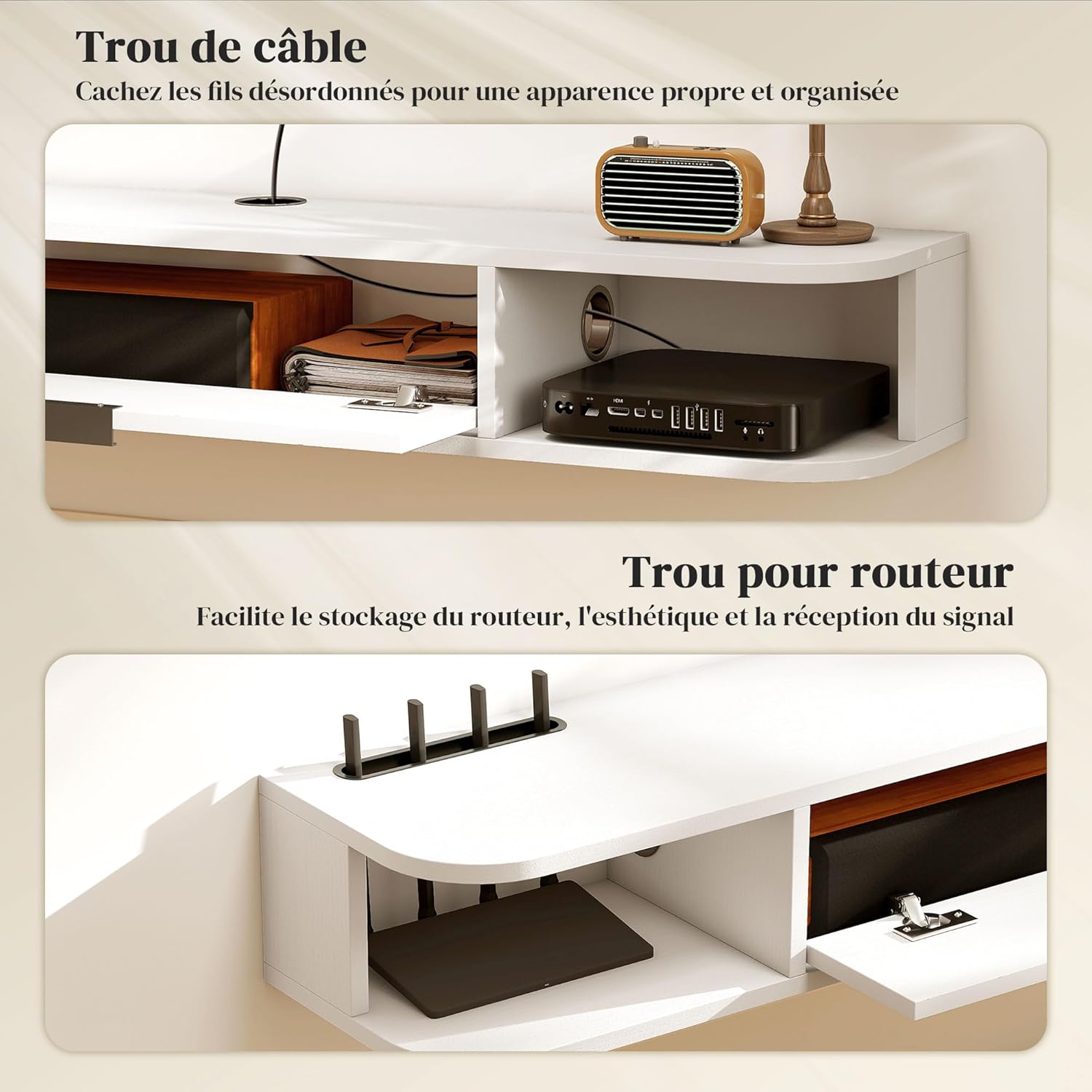
Figura 5: detallada view of the cable hole and a dedicated router hole, designed for efficient cable organization and signal reception.
6. Mantenimiento
To ensure the longevity and appearance of your HOMCOM TV stand, follow these simple maintenance guidelines:
- Limpieza: Clean the surface with a dry, soft cloth. Avoid using abrasive cleaners, harsh chemicals, or excessive moisture, as these can damage the engineered wood finish.
- Inspección: Periodically check all mounting hardware and assembly connections to ensure they remain tight and secure. Tighten any loose screws as needed.
- Evite la luz solar directa: La exposición prolongada a la luz solar directa puede provocar decoloración o decoloración del acabado.
7. Solución de problemas
If you encounter any issues with your HOMCOM TV stand, consider the following:
- La unidad se siente inestable: Ensure all wall mounting screws are securely fastened and that the wall anchors are appropriate for your wall type. Re-check all internal assembly connections.
- Drawer/Shelf not operating smoothly: Check for any obstructions. Ensure hinges and slides are properly aligned and tightened.
- Partes faltantes: Consulte el contenido del paquete. Si faltan piezas al recibir el producto, póngase en contacto con atención al cliente para obtener ayuda.
8. Especificaciones
| Característica | Detalle |
|---|---|
| Número de modelo | FR83B-528V00WT0531 |
| Dimensiones generales (L x An x Al) | 120 x 24 x 16 cm |
| Peso | 8.5 kilogramos |
| Material | Madera de ingeniería |
| Color | Blanco |
| Capacidad de carga máxima | 45 kg (99 libras) |
| Numero de cajones | 1 (abatible) |
| Número de estantes abiertos | 2 |
| Compatibilidad de tamaño de TV | Hasta 50 pulgadas |
| Características especiales | Cable management hole, Flip-down drawer, Open shelves, Wall-mounted design |
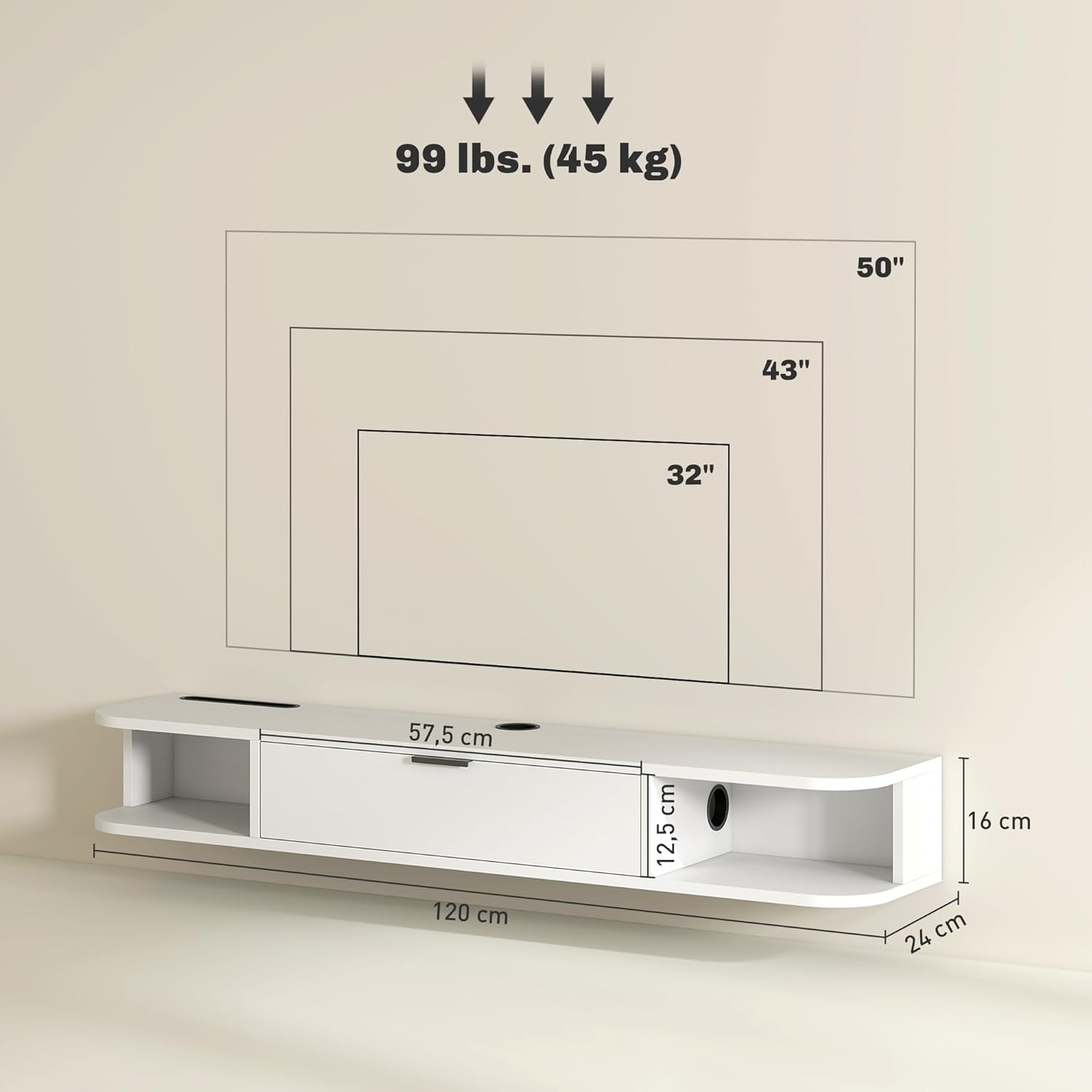
Figure 6: Dimensional drawing of the TV stand, indicating overall length (120 cm), depth (24 cm), height (16 cm), and maximum load capacity (45 kg).
9. Garantía y soporte
Para obtener información sobre la garantía o soporte técnico, consulte la documentación incluida con su compra o visite el sitio web oficial de HOMCOM. websitio. Guarde su recibo de compra para reclamos de garantía.


