1. Introducción
This manual provides essential information for setting up, operating, and maintaining your XIAOMI Redmi Note 15 Pro+ Plus 5G Ai smartphone. This device features a 6500mAh battery with 100W HyperCharge, a 200MP ultimate-clarity camera, and is powered by the Snapdragon® 7s Gen 4 processor. It boasts a 6.83" 1.5K CrystalRes AMOLED display with Corning® Gorilla® Glass Victus® 2 for enhanced durability. The phone is designed with IP66/IP68/IP69/IP69K dust and water resistance, ensuring reliability in various environments. Please read this manual thoroughly to ensure proper usage and to maximize your device's potential.
2. ¿Qué hay en la caja?
Verifique que todos los artículos estén presentes en el paquete de su producto:
- XIAOMI Redmi Note 15 Pro+ Plus 5G Ai Smartphone
- Expulsor de bandeja SIM
- Cable USB
- Adaptador de pared de 100 W
3. Configuración
3.1 Instalación de la tarjeta SIM
The device supports Dual SIM (nano SIM + nano SIM or nano SIM + eSIM). Ensure your SIM card is already activated by your carrier. This device is compatible with T-Mobile, Mint, Tello, and other carriers under the T-Mobile network in the USA. For international use, it works with any GSM carrier SIM.

Image: Compatibility chart for network carriers.
- Localice la bandeja SIM en el costado de su dispositivo.
- Inserte la herramienta de extracción de la bandeja SIM en el pequeño orificio al lado de la bandeja.
- Empuje suavemente hasta que la bandeja salga.
- Place your nano SIM card(s) or activate your eSIM as per carrier instructions.
- Vuelva a insertar con cuidado la bandeja SIM en el dispositivo.
3.2 Encendido inicial
- Mantenga presionado el botón de encendido hasta que aparezca el logotipo de Xiaomi.
- Siga las instrucciones en pantalla para completar la configuración inicial, incluida la selección de idioma, la conexión Wi-Fi y la configuración de la cuenta Google.
4. Características principales
- Mostrar: 6.83" 1.5K CrystalRes AMOLED display with up to 120Hz refresh rate, 3200 nits peak brightness, and Corning Gorilla Glass Victus 2 protection.
- Procesador: Snapdragon® 7s Gen 4 (4nm manufacturing process, Octa-core up to 2.7GHz, Adreno GPU).
- Sistema de cámara: New 200MP ultimate-clarity main camera with OIS, 1/1.4" sensor size, 8MP ultra-wide camera, and 32MP front camera.
- Bateria cargando: 6500mAh battery with 100W HyperCharge and up to 22.5W reverse charging.
- Durabilidad: Ultra-durable smartphone with 2.5-meter certified drop resistance and IP66/IP68/IP69/IP69K dust and water resistance.
- Funciones de IA: Includes Circle to Search with Google, Google Gemini, AI Interpreter, AI Notes, AI Recorder, AI Subtitles, AI Film, and AI image editing.
- Seguridad: In-screen fingerprint sensor and AI face unlock.
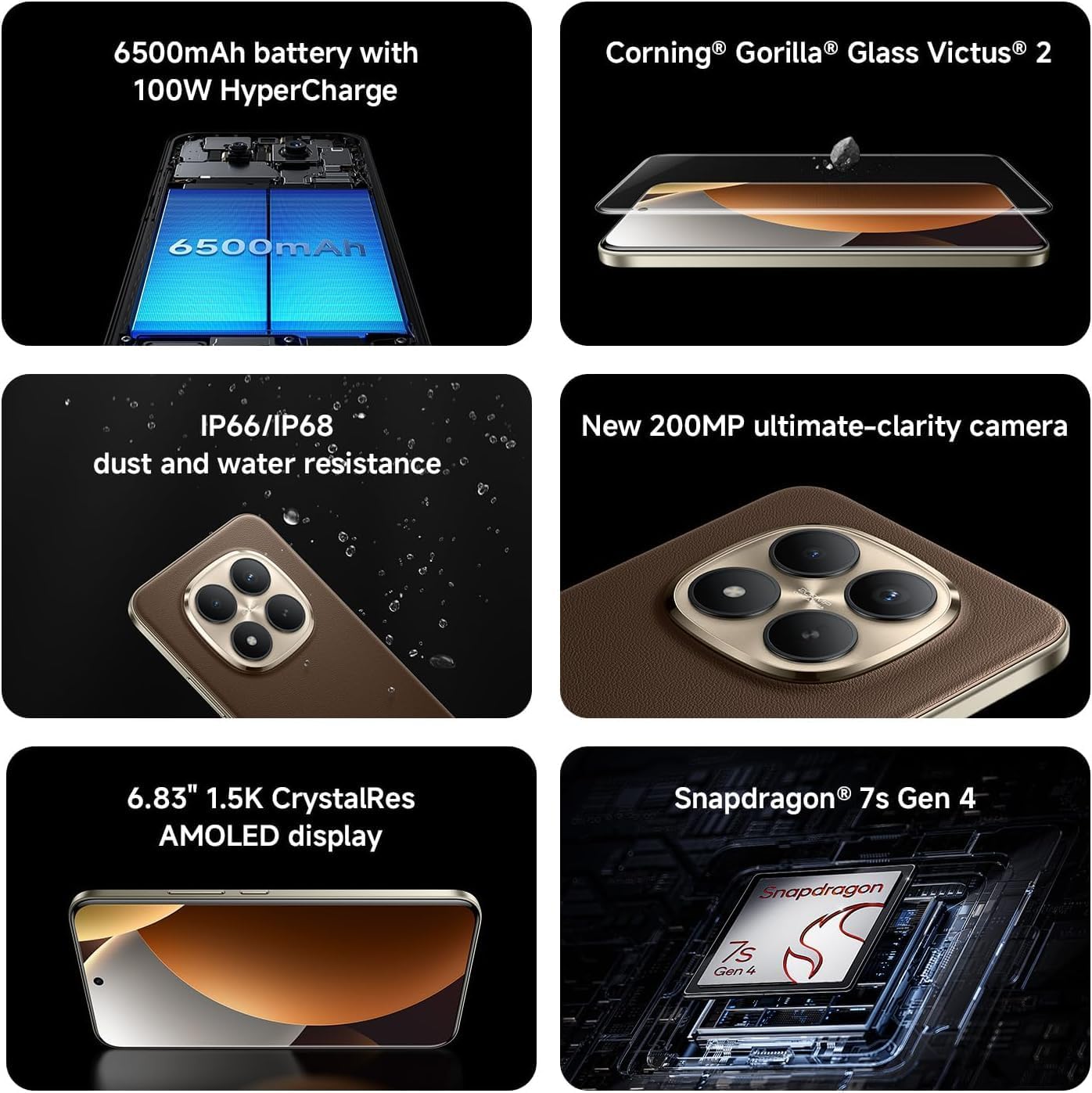
Image: Key features of the Redmi Note 15 Pro+ Plus 5G Ai.
5. Instrucciones de funcionamiento
5.1 HyperOS (Based on Android 14)
Your device runs on HyperOS, based on Android 14, offering a feature-rich and customizable user experience. Explore various settings for personalization, security, and productivity. While some third-party applications may be pre-installed, most can be uninstalled if not desired.
5.2 Uso de la cámara
The 200MP main camera system allows for capturing highly detailed photos and videos. The 32MP front camera is ideal for high-resolution selfies and video calls.
- Modos de fotografía: Utilize Ultra HD for 200MP images, Photo mode for standard shots, Portrait mode for bokeh effects, and Pro mode for manual control over imaging parameters.
- Grabación de vídeo: Record 4K videos at 30 fps or 1080p videos at 30/60 fps with the rear camera. The front camera supports 1080p at 30/60 fps.
- Características adicionales: Explore Documents, Slow Motion, Time-lapse, and Panorama modes for creative content creation.
5.3 Batería y carga
The 6500mAh battery supports 100W HyperCharge for rapid charging and 22.5W reverse charging to power other devices. Optimize battery life using features like:
- Protección de la batería: Extend battery lifespan by setting the device to stop charging at 80% or charge fully only when scheduled.
- Carga inteligente: The system learns your charging habits to optimize battery health.
- Cold Endurance Mode: Limits device performance in cold environments to extend battery life.
6. Especificaciones
| Característica | Detalle |
|---|---|
| Número de modelo | 2510ERA8BG |
| Tamaño de la pantalla | 6.83 pulgadas |
| Resolución de pantalla | 2712 x 1220 (1.5K CrystalRes AMOLED) |
| Frecuencia de actualización | Hasta 120 Hz |
| Procesador | Snapdragon® 7s de 4.ª generación |
| RAM | 12 GB (expandable with Memory Extension) |
| Almacenamiento | 512 GB |
| Cámara trasera | 200 MP principal (OIS) + 8 MP ultra gran angular |
| Cámara frontal | 32MP |
| Capacidad de la batería | 6500 mAh |
| Carga por cable | Hipercarga de 100 W |
| Sistema operativo | HyperOS Based on Android 14 |
| Resistencia al agua y al polvo | IP66/IP68/IP69/IP69K |
| Conectividad | 5G, 4G, Wi-Fi 6/6E, Bluetooth 5.4, NFC |
| Dimensiones | 7 x 4 x 2 pulgadas (paquete) |
| Peso del artículo | 14 onzas |
7. Mantenimiento y cuidado
- Limpieza: Utilice un paño suave y sin pelusa para limpiar la pantalla y el cuerpo. Evite materiales abrasivos o productos químicos agresivos.
- Temperatura: Utilice el dispositivo dentro de los rangos de temperatura recomendados. Evite el calor o el frío extremos.
- Actualizaciones de software: Verifique e instale periódicamente las actualizaciones del sistema para garantizar un rendimiento óptimo, seguridad y acceso a nuevas funciones.
- Resistencia al agua: While the device is water-resistant, avoid intentional submersion or exposure to high-pressure water. Ensure all ports are dry before charging.
8. Solución de problemas
- El dispositivo no enciende: Ensure the battery is charged. Connect to the 100W wall adapter and try again.
- La aplicación se bloquea o se congela: Cierra la aplicación y vuelve a abrirla. Si el problema persiste, reinicia el dispositivo.
- Problemas de conectividad de red: Check your SIM card installation. Toggle Airplane Mode on/off. Restart the device.
- Rendimiento lento: Clear cache of apps, uninstall unused applications, or perform a factory reset (back up data first).
9. Garantía y soporte
Para obtener información sobre la garantía y atención al cliente, consulte la tarjeta de garantía incluida en el paquete del producto o visite el sitio web oficial de XIAOMI. webSitio. Conserve su comprobante de compra para reclamaciones de garantía.


