1. Introducción
The iGPSPORT BSC100MAX is a GPS-enabled bike computer designed to track and display various cycling data. It features a 3-inch anti-glare screen, global 5-satellite positioning for fast and accurate tracking, and a long battery life of up to 40 hours. This device supports connection to external sensors via Bluetooth 5.0 and offers smart functions to enhance your cycling experience.
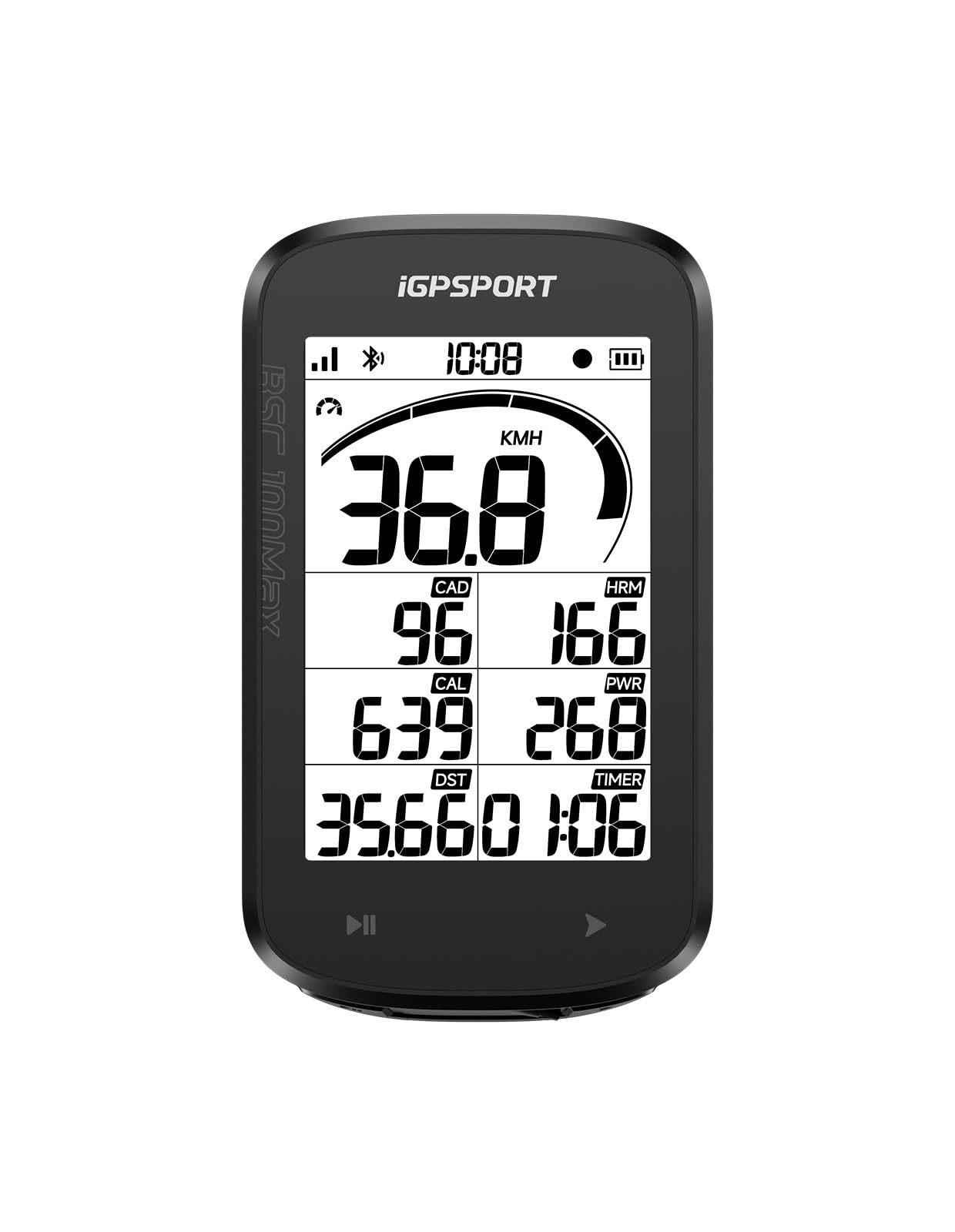
Image 1.1: The iGPSPORT BSC100MAX GPS Bike Computer.
Vídeo 1.1: Un finalview of the iGPSPORT BSC100MAX Bike Computer's features and use during cycling.
2. Contenido del paquete
Verifique que todos los artículos estén presentes en el paquete:
- 1 x BSC100MAX Bike Computer
- 1 x almohadilla de goma
- 2 bandas elásticas
- 1 x Manual de usuario

Image 2.1: Illustration of the BSC100MAX bike computer and its included accessories.
3. Configuración
3.1 Montaje del dispositivo
Follow these steps to securely mount your BSC100MAX bike computer to your bicycle handlebar:
- Apile las dos bases fijas juntas.
- Coloque la base apilada en el manillar de la bicicleta.
- Cruza las dos bandas elásticas para fijar la base firmemente.
- Ajuste el ángulo del soporte para obtener un ángulo óptimo. viewEn.
- Fije el ciclocomputador a la base girándolo en su lugar.
- Ensure the installation is completed and the computer is secure.

Image 3.1: Visual guide for installing the BSC100MAX bike computer mount.
3.2 Carga inicial
Before first use, fully charge the device using the provided Type-C charging cable. The 700mAh battery provides up to 40 hours of operation on a full charge.
3.3 Sensor and App Pairing
The BSC100MAX supports Bluetooth 5.0 for connecting to various external sensors such as speed, cadence, heart rate monitors, and power meters. To pair, navigate to the device's settings menu, select 'Sensors', and follow the on-screen instructions to discover and connect your devices. For data analysis and sharing, download the iGPSPORT APP and connect your bike computer via Bluetooth.
4. Instrucciones de funcionamiento
4.1 Encendido/apagado y navegación básica
Press and hold the power button to turn the device on or off. Use the navigation buttons to scroll through data pages and access settings.
4.2 Posicionamiento GPS
The BSC100MAX utilizes global 5-satellite positioning (GPS, GLONASS, Galileo, BeiDou, QZSS) for rapid and accurate location tracking. Positioning typically takes 3 seconds in open outdoor environments. The device also features tunnel compensation algorithms to maintain data integrity in areas with signal loss.

Image 4.1: The BSC100MAX supports multiple global satellite systems for enhanced positioning accuracy.
4.3 Visualización y personalización de datos
The 3-inch LCD screen displays over 38 types of riding data, including speed, distance, heart rate, cadence, power, gradient, calories, time, and temperature. Data pages are customizable via the iGPSPORT APP, allowing you to arrange up to 9 data fields per page using 8 display templates.

Imagen 4.2: Example of rich cycling data displayed on the BSC100MAX screen.

Image 4.3: Customizing data display pages through the iGPSPORT mobile application.
4.4 Funciones inteligentes
- Inicio/parada automática: The device intelligently pauses recording when you stop cycling and resumes when you start, ensuring accurate data.
- Retroiluminación automática: Automatically adjusts screen brightness for optimal visibility in varying light conditions.
- Alertas de llamadas: Receive incoming call notifications directly on your bike computer when connected to your smartphone.
- Recordatorio de batería baja: Notifies you when the device's battery is low.
- Recordatorio del atardecer: Provides a reminder 30 minutes before sunset and activates the backlight for safer night riding.
- Alerta de datos deportivos: Set thresholds for cycling data (e.g., heart rate). The computer will prompt you when these thresholds are reached.

Imagen 4.4: Másview of smart automatic functions like auto backlight, auto recording, and auto pause.

Image 4.5: The bike computer displaying an incoming call alert.

Image 4.6: The sunset reminder feature, activating backlight for night riding.
4.5 Wide Device Connections
The BSC100MAX connects to various sports devices via Bluetooth protocol, including speed sensors, cadence sensors, heart rate monitors, and power meters. It also supports connection and control of iGPSPORT smart front and tail lights, allowing you to view battery levels, switch light modes, and sync lights with your bike computer.

Image 4.7: The BSC100MAX's compatibility with various sensors and iGPSPORT lights.

Image 4.8: The BSC100MAX displaying battery level and mode of a connected iGPSPORT headlight.

Image 4.9: The BSC100MAX displaying battery level and mode of a connected iGPSPORT taillight.
4.6 Data Analysis and Sharing
Upload your ride data instantly to the iGPSPORT App for safe storage, detailed analysis, and personalized sharing. The app supports one-tap sync to platforms like Strava, TrainingPeaks, and Komoot.

Image 4.10: Managing and analyzing riding data through the iGPSPORT App.

Image 4.11: Seamless synchronization of ride data to popular cycling platforms.
5. Mantenimiento
5.1 Limpieza y almacenamiento
Limpie el dispositivo con un paño suave y seco.amp cloth. Avoid using harsh chemicals or abrasive materials. Store the device in a cool, dry place away from direct sunlight when not in use.
5.2 Resistencia al agua
The BSC100MAX has an IPX7 waterproof rating, meaning it can withstand immersion in water up to 1 meter for 30 minutes. This protects it from rain and splashes, but it is not recommended for prolonged underwater use.

Image 5.1: The BSC100MAX is designed to be IPX7 waterproof, suitable for riding in various weather conditions.
5.3 Cuidado de la batería
Para prolongar la vida útil de la batería, evite descargar el dispositivo por completo con frecuencia. Cárguelo regularmente, especialmente si lo guardará durante un período prolongado.
6. Solución de problemas
- El dispositivo no enciende: Asegúrese de que el dispositivo esté completamente cargado. Conéctelo a una fuente de alimentación con el cable tipo C.
- GPS signal acquisition slow or inaccurate: Asegúrese de estar en un área abierta al aire libre con un espacio despejado. view of the sky. Avoid areas with tall buildings or dense tree cover.
- Cannot connect to Bluetooth sensors: Ensure the sensors are powered on and within range. Check the sensor's battery level. Restart both the bike computer and the sensor, then attempt pairing again. Verify that the sensor is not already paired with another device.
- Problemas de conectividad de la aplicación: Ensure Bluetooth is enabled on your smartphone and the iGPSPORT App has the necessary permissions. Restart the app and the bike computer.
- Data discrepancies: Ensure all sensors are correctly calibrated and securely mounted. For tunnel data recovery, ensure the feature is enabled if applicable.
- Screen readability in sunlight: The 3-inch anti-glare screen is designed for outdoor visibility. Ensure the auto backlight feature is enabled for optimal performance.
7. Especificaciones
| Característica | Especificación |
|---|---|
| Marca | iGPSPORT |
| Nombre del modelo | BSC100MAX |
| Dimensiones del producto | 3.54" de largo x 1.02" de ancho x 5.67" de alto (97.3 x 56.5 x 12.7 mm) |
| Peso del artículo | 0.13 kilogramos (68 g) |
| Tamaño de pantalla | 3 pulgadas |
| Tipo de pantalla | Pantalla LCD |
| Duración de la batería | 40 horas |
| Capacidad de la batería | 700 mAh |
| Puerto de carga | Tipo C |
| Grado de impermeabilidad | IPX7 |
| Conexión inalámbrica | Bluetooth 5.0 |
| Sensor Type Support | Speed, Cadence, Heart Rate, Power |
| Tipo de montaje | Montaje del manillar |
| Entrada de interfaz humana | Touchscreen (implied by product images, though specifications list 'Touchscreen' and 'Human Interface Input' separately, I'll combine for clarity) |
| Material | Plástico |

Image 7.1: The BSC100MAX features an ultra-thin design, measuring 12.7mm and weighing 68g.
8. Garantía y soporte
8.1 Información de garantía
The iGPSPORT BSC100MAX GPS Bike Computer comes with a 2-year warranty. Please retain your proof of purchase for warranty claims.
8.2 Atención al cliente
For technical assistance, troubleshooting, or warranty inquiries, please contact iGPSPORT Official customer support. Refer to the official iGPSPORT websitio o la información de contacto proporcionada en el paquete de su producto para obtener los canales de soporte más actualizados.


