Manuales y guías de usuario de MOGA
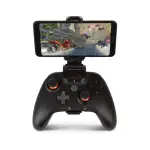
MOGA is a sub-brand of PowerA that specializes in premium mobile and cloud gaming controllers, power banks, and adjustable clips for Xbox, PC, and Android platforms.
About MOGA manuals on Manuals.plus
MOGA Mobile Gaming
MOGA is a premier line of mobile gaming accessories developed by PowerA, a leading brand under ACCO Brands. Designed to bring console-quality controls to mobile devices, MOGA specializes in Bluetooth and wired controllers, mobile gaming clips, and integrated power banks for seamless gaming on the go.
Their controllers are heavily optimized for Xbox Cloud Gaming and PC platforms, featuring advanced mappable buttons and ergonomic designs for extended play sessions. Whether using the MOGA XP5-X Plus or the versatile XP-ULTRA, MOGA multi-platform wireless controllers empower mobile gamers to play their way anywhere, minimizing latency and maximizing comfort.
Manuales de MOGA
Últimos manuales de manuals+ Curada para esta marca.
Manual de usuario del controlador inalámbrico multiplataforma MOGA XP-ULTRA
Manual del usuario del clip para juegos moga 1519066-01 xbx
Controlador Bluetooth PowerA MOGA XP5-i Plus para juegos móviles y en la nube en iOS Manual del usuario
MOGA XP5-i Plus Bluetooth Controller for Mobile & Cloud Gaming on iOS User Manual
MOGA XP5-A PLUS Bluetooth Controller User Manual | PowerA
Estructura de la guía de inicio rápido de MOGA XP Ultra
Instrucciones de montaje para la silla de jardín MOGA (modelo 23280027-01)
MOGA video guides
Vea videos de configuración, instalación y solución de problemas de esta marca.
MOGA support FAQ
Preguntas comunes sobre manuales, registro y soporte para esta marca.
-
How do I pair my MOGA controller via Bluetooth?
Move the Wireless/Wired switch to BT, turn the controller on, and hold the Bluetooth sync button on the back for 2 seconds. The LED will flash rapidly. Select the MOGA controller in your device's Bluetooth settings.
-
How do I assign the Advanced Gaming Buttons on my MOGA controller?
Press the Program Button for 2-3 seconds until the LED flashes. Press the button you wish to map (e.g., A/B/X/Y), then press the desired Advanced Gaming Button (AGR or AGL) to complete the assignment.
-
How do I check the battery level on my MOGA controller?
Press the battery status button on the front lower left of the controller. LEDs will indicate the current charge level from 25% to 100% even when the controller is off.
-
Can I use my MOGA controller in wired mode on an Android phone?
Yes, switch the controller to USB mode and connect it to your Android device using the appropriate provided micro-USB to USB-C or Micro-USB cable.